Beginner’s guide · Photograph & film
Lock the camera,
then move one thing at a time.
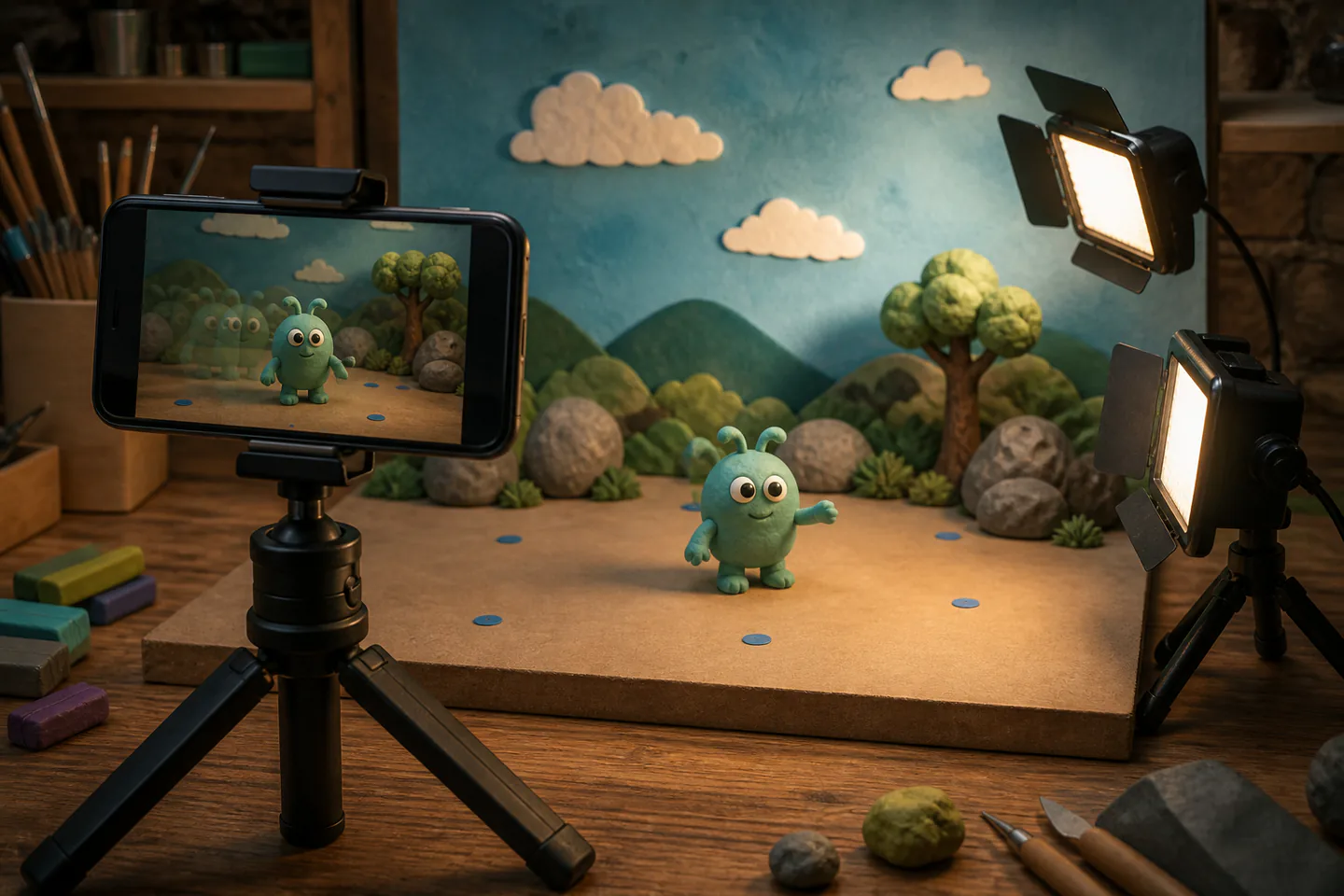
A phone, firm tripod and two steady lamps can make a convincing ten-second film. Start at a modest frame rate and fix focus, exposure and light before touching the subject.
Quick answer
Animate one object across one fixed frame
Mount a phone securely, switch off changing room light, use one or two constant lamps, lock focus and exposure in a stop-motion app, then photograph a simple object in small even movements for a ten-second film at about 10–12 frames per second.
- 01
A ten-second film at 12 fps needs 120 distinct captured frames. Keep the first attempt narrow enough that preparation, the main action and the result can all be reviewed together.
- 02
Camera movement reads as an earthquake; subject movement is the only intended change. Keep the first attempt narrow enough that preparation, the main action and the result can all be reviewed together.
- 03
Automatic focus, white balance and exposure can create flicker between frames. Keep the first attempt narrow enough that preparation, the main action and the result can all be reviewed together.
- 04
A short shot with a clear beginning and end teaches more than an unfinished minute. Keep the first attempt narrow enough that preparation, the main action and the result can all be reviewed together.
What to expect
Continuity is the invisible craft
The viewer notices tiny jumps in camera, light and object position because every frame is compared with the next.
Frame rate
Lower rates reduce labour but make motion more stepped; twos or held frames can still be intentional. For stop-motion animation, note what actually happened rather than relying on memory; that turns the next attempt into a controlled change instead of another guess.
Light
Daylight changes during a shoot, while some inexpensive LEDs can flicker. For stop-motion animation, note what actually happened rather than relying on memory; that turns the next attempt into a controlled change instead of another guess.
Touch
Pressing the screen can nudge the phone unless a remote or timed capture is used. For stop-motion animation, note what actually happened rather than relying on memory; that turns the next attempt into a controlled change instead of another guess.
Playback
Onion skinning and frequent short previews reveal spacing errors before hundreds of frames are captured. For stop-motion animation, note what actually happened rather than relying on memory; that turns the next attempt into a controlled change instead of another guess.
Core method
Plan, lock and animate a single action
Storyboard one beat
Draw six key positions for an object entering, pausing and leaving. For stop-motion animation, note what actually happened rather than relying on memory; that turns the next attempt into a controlled change instead of another guess.
Lock the physical set
Tape tripod feet, mark object positions and remove anything likely to move accidentally. For stop-motion animation, note what actually happened rather than relying on memory; that turns the next attempt into a controlled change instead of another guess.
Lock the image
Set resolution, frame rate, focus, exposure and white balance before frame one. For stop-motion animation, note what actually happened rather than relying on memory; that turns the next attempt into a controlled change instead of another guess.
Capture and finish
Move the subject by a deliberate increment, review often, then trim and export without hiding errors behind effects. For stop-motion animation, note what actually happened rather than relying on memory; that turns the next attempt into a controlled change instead of another guess.
Useful products
Products with a clear job in the setup
The MT-44 is the phone-first stabilising tool, the VL49 provides controlled local light and the U-Rig becomes useful only when several accessories need mounting.
ULANZI MT-44 Phone Tripod with Bluetooth Remote
A fixed frame removes the most obvious source of stop-motion flicker and jumps.
Ulanzi VL49 Rechargeable LED Video Light
Constant light is easier to match between frames than changing daylight.
Ulanzi U-Rig Pro Smartphone Video Rig
It helps when a small stop-motion or storyboard reference setup needs several accessories.
First project
Make a ten-second crossing and pause
A small object crosses the frame, pauses in the middle and exits, revealing acceleration and timing.
- 01
Draw six key positions
Mark start, acceleration, middle pause, restart and exit. For stop-motion animation, note what actually happened rather than relying on memory; that turns the next attempt into a controlled change instead of another guess.
- 02
Build a fixed set
Lock camera and lights and take a reference frame. For stop-motion animation, note what actually happened rather than relying on memory; that turns the next attempt into a controlled change instead of another guess.
- 03
Capture a test
Shoot twelve frames and check focus, flicker and support movement. For stop-motion animation, note what actually happened rather than relying on memory; that turns the next attempt into a controlled change instead of another guess.
- 04
Animate the full action
Use smaller gaps for slow movement and larger gaps for speed. For stop-motion animation, note what actually happened rather than relying on memory; that turns the next attempt into a controlled change instead of another guess.
- 05
Export and review
Watch at normal speed and note the first visible jump. For stop-motion animation, note what actually happened rather than relying on memory; that turns the next attempt into a controlled change instead of another guess.
What can wait
What can wait until the first result
Extra equipment becomes useful only when the basic method has exposed a specific, repeated limitation.
- 01
A professional camera
A phone already teaches spacing, continuity and lighting. For stop-motion animation, note what actually happened rather than relying on memory; that turns the next attempt into a controlled change instead of another guess.
- 02
Complex character rigs
Wire armatures add construction and tie-down problems. For stop-motion animation, note what actually happened rather than relying on memory; that turns the next attempt into a controlled change instead of another guess.
- 03
Camera moves
They require repeatable motion-control or carefully marked increments. For stop-motion animation, note what actually happened rather than relying on memory; that turns the next attempt into a controlled change instead of another guess.
- 04
A minute-long film
At 12 fps it needs 720 frames before retakes. For stop-motion animation, note what actually happened rather than relying on memory; that turns the next attempt into a controlled change instead of another guess.
Upgrade path
Upgrade the repeated limitation
Spend first on stability, light and capture feedback.
Phone test
FreePhone, improvised support and app
Learn frame-by-frame movement.Stable tabletop
£20–£100Tripod, remote and constant lights
Reduce camera and exposure jumps.Tethered camera
£500–£1,500Supported camera and capture software
Gain high-resolution live view and control.Rigged production
VariableArmatures, tie-downs and controlled lighting
Create repeatable character performance.Safety & care
Keep the set electrically and physically stable
Tripods, hot lamps, sharp armatures, batteries and long unattended setups create ordinary but real hazards.
- Keep tripod legs, cables and set edges out of walking routes. Follow current manufacturer, food-safety, access, wildlife or local guidance wherever it applies.
- Use cool-running lights within their instructions and keep paper or fabric clear of heat. Follow current manufacturer, food-safety, access, wildlife or local guidance wherever it applies.
- Store wire, blades, pins and small modelling parts safely. Follow current manufacturer, food-safety, access, wildlife or local guidance wherever it applies.
- Monitor charging batteries and do not trap a hot phone under covers. Follow current manufacturer, food-safety, access, wildlife or local guidance wherever it applies.
- Do not leave food, flames, pets or electrical setups unattended for a long shoot. Follow current manufacturer, food-safety, access, wildlife or local guidance wherever it applies.
Outside help
When outside help earns its place
Free app tutorials can carry the first film; a workshop earns its place when armatures, tie-downs or tethered capture are introduced.
Choose one lesson covering onion skin, exposure lock, frame rate and export.
Check whether equipment, models and a finished exported film are included.
Representative UK learning options checked 31 August 2026; local prices, access, materials and tutor support vary.
Sources
Where the guidance came from
Professional capture documentation and recurring beginner problems support a phone-first route centred on stability, locked settings and modest duration.
-
01
Dragonframe · Tutorials
Professional capture workflow and animation tools.
Open source -
02
Dragonframe · Camera support
Current camera compatibility and live-view requirements.
Open source -
03
Dragonframe · Webcam setup
Lower-cost supported capture route.
Open source -
04
Digital Camera World · Home stop motion
Frame-rate and practical home workflow.
Open source -
05
Reddit · r/stopmotion
Recurring beginner discussion of focus, flicker and camera support.
Open source -
06
Amazon UK · MT-44 Phone Tripod with Bluetooth Remote
Exact Amazon UK product page or ISBN used for the recommendation; current price, seller, specification and availability should be confirmed.
Open source -
07
Amazon UK · VL49 Rechargeable LED Video Light
Exact Amazon UK product page or ISBN used for the recommendation; current price, seller, specification and availability should be confirmed.
Open source -
08
Amazon UK · U-Rig Pro Smartphone Video Rig
Exact Amazon UK product page or ISBN used for the recommendation; current price, seller, specification and availability should be confirmed.
Open source
Guide information and links checked 31 August 2026.