Beginner’s guide · Play & perform
A recorded ten-minute mix with clean transitions
Phrase and level matching come before effects.
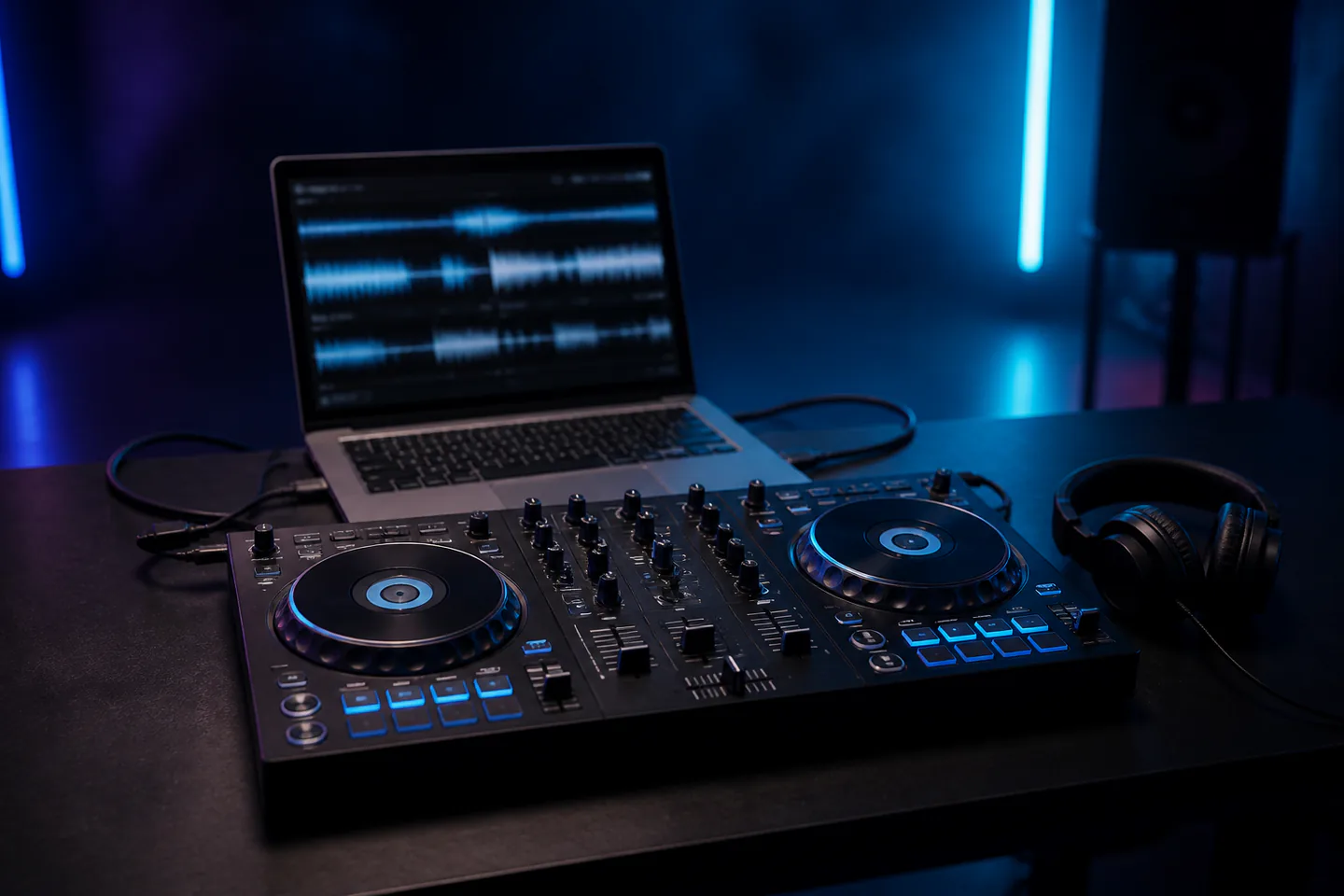
Start with legal music files, free DJ software and headphones, then add a compact two-deck controller if hands-on mixing helps. Learn cueing, phrase timing, gain and clean transitions before performance tricks.
Quick answer
Prepare six compatible tracks and record three plain transitions
Install one supported DJ application, import six legally owned tracks with compatible tempo and energy and let the software analyse them. Verify beat grids by ear, set one cue at the first clean downbeat and learn headphone cue versus master. Start track B on a matching phrase, adjust tempo, set gain so neither channel clips and exchange bass or channel level gradually. Record, listen back and correct timing before using effects.
- 01
Beat sync can help but does not understand every beat grid, phrase, vocal collision or energy change. Learn to verify it.
- 02
Streaming-library access can change and may restrict recording. Building a legally usable local library avoids a fragile workflow.
- 03
A controller is a physical interface for software; check supported applications, computer ports and audio outputs before buying.
- 04
Master red lights mean level trouble, not excitement. Leave headroom and compare tracks using channel gain rather than the master knob.
What to expect
Track selection and timing carry more of the mix than tricks
A simple transition between compatible phrases sounds intentional; an effect-heavy transition cannot hide conflicting vocals or levels.
Library
Tag genre, energy, key where useful and personal cue notes. Six known tracks teach more than 6,000 unreviewed files.
Grid
Check that downbeats and tempo follow the audio, especially live drums and older recordings.
Phrase
Most dance arrangements change in regular blocks. Start the incoming track so structural changes meet.
Gain
Match perceived loudness with channel gain while preserving headroom; the crossfader is not a volume repair tool.
EQ
Avoid stacking two full bass lines. Exchange low frequencies deliberately and keep mid/vocal conflicts audible.
Review
Record legal local-file practice, mark rough transitions and fix one cause at a time: cue, phrase, tempo or level.
Core method
Learn the mix without hiding behind automation
Build a small legal crate
Choose six tracks you own or are licensed to use, preferably with related style and manageable tempo range. Store them in an organised folder, back it up and add cue points only after listening from start to finish. Know intros, breakdowns, vocal entries and endings.
Set cue, grid and levels
Confirm the first beat and grid against the music, load one track per deck and route headphones correctly. With master low, set each channel gain so loud sections stay below clipping. Learn channel fader, crossfader, EQ and cue mix before touching performance pads.
Make a phrase-aligned blend
Count the outgoing phrase and launch the incoming intro on a compatible downbeat. Match tempo by ear or use sync after verifying grids. Bring track B in gradually, listen for flamming and vocal conflict, exchange bass once and remove track A on a structural change.
Record and annotate
Make a ten-minute practice using three transitions and no rescue effects. Listen on headphones and a normal speaker, note the exact timestamp and classify every problem. Repeat the worst transition with the same two tracks until the correction is deliberate.
Useful products
Two controller scales and one shared monitoring option
The Numark is a compact low-cost hands-on route, the DDJ-FLX4 is a fuller two-channel layout and the ATH-M40x supplies wired cue monitoring. Choose one controller, not both, and verify software support before buying.
Numark DJ2GO2 Touch Compact DJ Controller
It covers core two-deck controls and includes a headphone/output audio path at a much lower price than a full layout.
AlphaTheta / Pioneer DJ DDJ-FLX4 Two-Channel DJ Controller
It is widely supported and exposes the core controls needed for long-term two-deck learning.
Audio-Technica ATH-M40x Professional Monitor Headphones
Closed backs, wired connection and swivelling cups suit home cue practice and can also serve music production.
First project
Record a six-track practice mix
Three simple phrase-aligned transitions prove the whole cue-to-review workflow.
- 01
Prepare six tracks
Analyse, verify grids and mark one useful cue per track.
- 02
Set safe levels
Cue loud sections and match gain below clipping.
- 03
Count an outgoing phrase
Choose a structural point for the incoming track.
- 04
Launch and align
Start on the downbeat and correct timing by ear.
- 05
Exchange level and bass
Keep the blend simple and avoid vocal collisions.
- 06
Record and annotate
Mark timestamps and repeat the weakest transition.
What can wait
What can wait until the first result
Performance effects, livestreaming and club equipment can wait until phrasing and gain are dependable.
- 01
Buying both controllers
They are alternative entry points with different size and control depth.
- 02
A subscription music library
Confirm offline, performance and recording rights before making it the centre of the setup.
- 03
Four-deck mixing
Two decks already teach library, phrase, tempo, gain and EQ decisions.
- 04
Large speakers
Headphones and modest existing speakers are enough for private practice and reduce neighbour impact.
- 05
Effect-heavy transitions
Filters and echoes should support an intentional phrase change, not obscure bad timing.
Upgrade path
Upgrade the repeated limitation
Upgrade controller layout, speakers or library tools only after practice identifies the missing control or output.
Software practice
Free–£20Laptop + legal files + headphones
Learn library, grids and phrasing.Compact controller
About £80–£150DJ2GO2 Touch + headphones
Add tactile cue, level and jog control.Full beginner controller
About £280–£430 totalDDJ-FLX4 + headphones
Use club-like two-channel layout and outputs.Performance system
About £800–£3,000+Controller/media players + PA + backup
Serve venues after legal and technical planning.Safety & care
Protect hearing, rights and the audience
High levels, drinks, cables, unreliable files and unlicensed use cause the most common practical problems.
- Keep cue and master volume moderate, take quiet breaks and use appropriate hearing protection at venues.
- Keep drinks away from controllers and laptops and route power and audio cables so they cannot trip or pull equipment down.
- Carry legally obtained music and check licences, venue agreements and platform terms before public performance, streaming or recording.
- Back up the library and playlists and test files, software, power and outputs before relying on a set.
- Never defeat venue limiters or safety systems and do not connect unfamiliar powered equipment without correct level and electrical guidance.
Outside help
When outside help earns its place
Software practice can teach the first mix. A lesson becomes useful for cue routing, manual tempo correction, performance confidence or feedback on an actual recording.
Use the exact current documentation for library, audio and recording limitations.
Bring a prepared crate and ask for feedback on phrase, gain and transition decisions.
Representative UK product, club, lesson and venue costs checked 9 August 2026; local prices, access, weather, materials and tutor support vary.
Sources
Where the guidance came from
Software and controller documentation defines compatibility; specialist education and beginner-DJ communities provide realistic workflow and purchase evidence.
-
01
AlphaTheta · DDJ-FLX4 support
Current compatibility, manuals, firmware and connection guidance.
Open source -
02
Numark · DJ2GO2 Touch
Manufacturer features, downloads and setup information.
Open source -
03
Serato · DJ Lite tutorials
Software library, performance and hardware lessons.
Open source -
04
Digital DJ Tips · Beginner training
Specialist technique, library and equipment education.
Open source -
05
Reddit · r/Beatmatch
Beginner DJ community discussion of controllers, software and practice.
Open source -
06
Amazon UK · Numark DJ2GO2 Touch
Exact product page, model or ISBN, observed price and availability checked for this guide.
Open source -
07
Amazon UK · DDJ-FLX4 controller
Exact product page, model or ISBN, observed price and availability checked for this guide.
Open source -
08
Amazon UK · Audio-Technica ATH-M40x
Exact product page, model or ISBN, observed price and availability checked for this guide.
Open source
Guide information and links checked 9 August 2026.