Beginner’s guide · Make & build
Automate one task
and keep the manual control.
Begin with a plug-in lamp or sensor routine that can always be overridden. Learn one ecosystem, name devices clearly and document what happens when the network or hub is unavailable.
Quick answer
Automate a plug-in lamp first
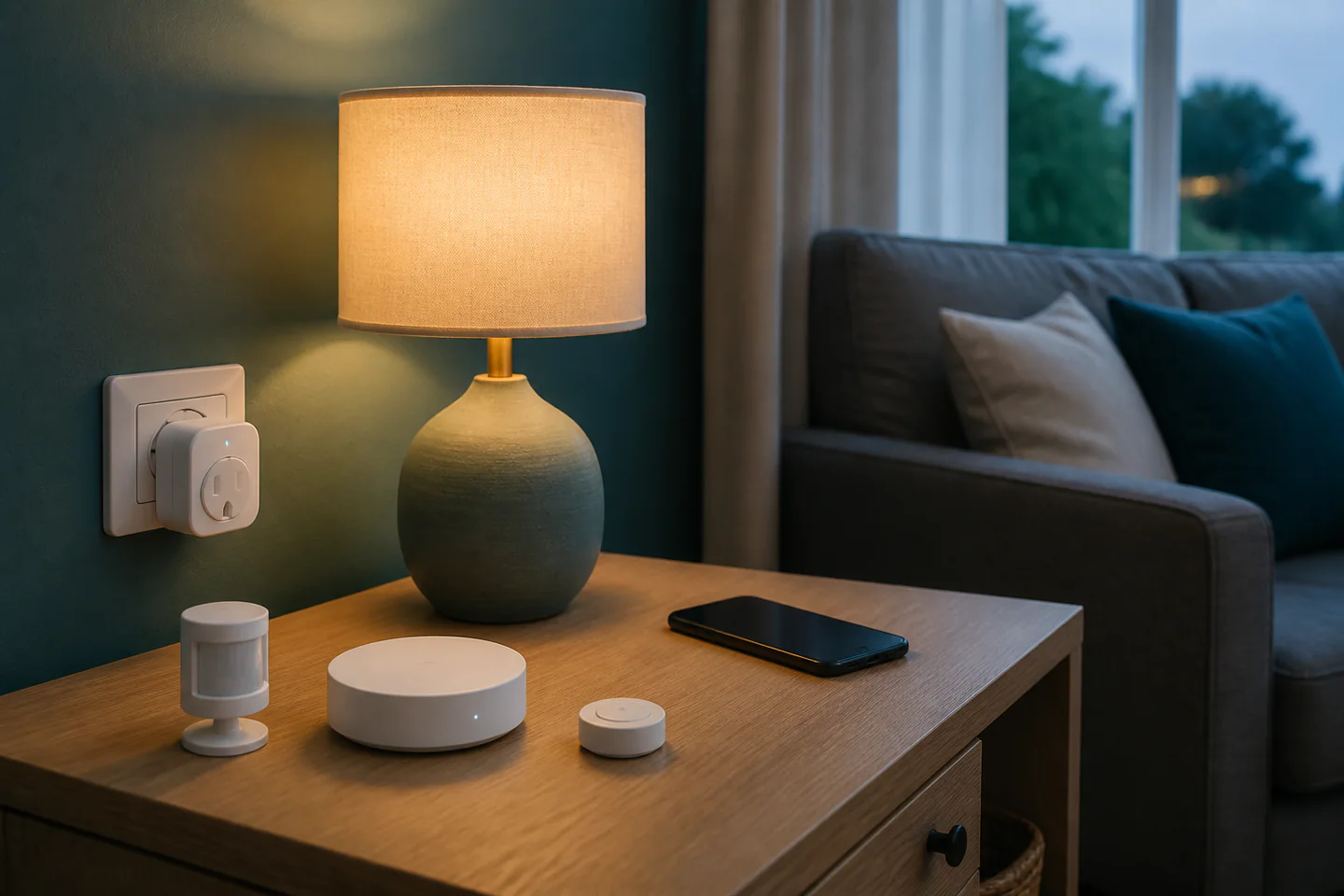
Use a certified UK smart plug within its stated load, or pair a low-voltage sensor with a compatible hub. Create one named routine, test manual override and failure behaviour, then live with it for a week before expanding.
- 01
Choose an ecosystem before buying devices and confirm the exact hub, radio and app compatibility. Record the setting, measurement or observation that mattered so the next attempt can be changed for a reason rather than by guesswork.
- 02
Keep a physical control available for every essential light or appliance. Record the setting, measurement or observation that mattered so the next attempt can be changed for a reason rather than by guesswork.
- 03
Never automate an appliance that would be unsafe to restart unattended after a power cut. Record the setting, measurement or observation that mattered so the next attempt can be changed for a reason rather than by guesswork.
- 04
Use unique account passwords, current firmware and multi-factor authentication where offered. Record the setting, measurement or observation that mattered so the next attempt can be changed for a reason rather than by guesswork.
- 05
Document device names, rooms, triggers and the intended off condition. Record the setting, measurement or observation that mattered so the next attempt can be changed for a reason rather than by guesswork.
What to expect
The clever rule is easy; dependable behaviour is the work
Home automation combines household routines, wireless coverage, software updates and electrical safety, so a small reversible project is the right first experiment.
Compatibility
Wi-Fi, Zigbee, Thread, Bluetooth and proprietary systems describe different links. A logo on two boxes does not guarantee every feature works through the same controller. In home-automation projects, this is worth checking before the next stage because a small adjustment now is easier than undoing a finished result.
Failure modes
Internet, hub, battery or account failures can interrupt a routine. Essential functions need a manual path that household members understand. In home-automation projects, this is worth checking before the next stage because a small adjustment now is easier than undoing a finished result.
Security
Every connected account and remotely reachable device adds an update and password responsibility. Prefer known vendors with an explicit support route. In home-automation projects, this is worth checking before the next stage because a small adjustment now is easier than undoing a finished result.
Household fit
A technically successful automation that surprises other people is not successful. Agree names, timing and override behaviour with everyone affected. In home-automation projects, this is worth checking before the next stage because a small adjustment now is easier than undoing a finished result.
Core method
Design the off state before the on state
Define one outcome
Write a plain sentence such as “turn the reading lamp on after sunset when the button is pressed” and exclude additional conditions. In home-automation projects, this is worth checking before the next stage because a small adjustment now is easier than undoing a finished result.
Check the load
Read the appliance wattage, plug rating and manufacturer restrictions. Use plug-in lighting rather than heaters, cooking devices or safety-critical equipment. In home-automation projects, this is worth checking before the next stage because a small adjustment now is easier than undoing a finished result.
Pair and name
Add one device at a time, apply updates, choose a unique room-based name and verify physical control before creating the routine. In home-automation projects, this is worth checking before the next stage because a small adjustment now is easier than undoing a finished result.
Test failures
Disconnect the network, reboot the hub and restore power under safe conditions so you know whether the device remains off, resumes or loses its schedule. In home-automation projects, this is worth checking before the next stage because a small adjustment now is easier than undoing a finished result.
Useful products
Products with a clear job in the setup
These products represent three different routes: a vendor hub, hub-dependent smart plugs and a USB radio for a locally managed Home Assistant setup.
MOES Tuya Zigbee and Bluetooth Multi-Mode Gateway
A single gateway can connect several compatible devices without starting with server administration.
Generic Zigbee UK Smart Plugs with Energy Monitoring, Two Pack
A lamp can be automated without altering fixed wiring.
SONOFF Universal Zigbee 3.0 USB Dongle Plus
It separates the Zigbee network from a cloud-only app and supports a deeper upgrade path.
First project
Build one lamp routine with an exit route
A visible, low-risk load makes triggers and failures easy to understand.
- 01
Write the rule
Choose one lamp, one trigger and one off condition, including what the lamp should do after power returns. In home-automation projects, this is worth checking before the next stage because a small adjustment now is easier than undoing a finished result.
- 02
Install safely
Check the plug and lamp ratings, connect through a visible accessible socket and leave the lamp switch in the documented position. In home-automation projects, this is worth checking before the next stage because a small adjustment now is easier than undoing a finished result.
- 03
Name and update
Add the plug to the chosen hub or app, install current firmware and give it a clear room-and-purpose name. In home-automation projects, this is worth checking before the next stage because a small adjustment now is easier than undoing a finished result.
- 04
Create and test
Run the automation repeatedly, then test manual control, delayed network response and safe restart behaviour. In home-automation projects, this is worth checking before the next stage because a small adjustment now is easier than undoing a finished result.
- 05
Review after a week
Check false triggers, missed routines and whether anyone has worked around the system, then refine one condition at a time. In home-automation projects, this is worth checking before the next stage because a small adjustment now is easier than undoing a finished result.
What can wait
What can wait until the first result
A whole-home dashboard does not make one unreliable device more useful.
- 01
Fixed-wiring modules
Mains electrical work may require a competent electrician and creates greater consequences than plug-in experiments. In home-automation projects, this is worth checking before the next stage because a small adjustment now is easier than undoing a finished result.
- 02
Voice control everywhere
Voice is an optional interface, not a dependable replacement for switches or accessible controls. In home-automation projects, this is worth checking before the next stage because a small adjustment now is easier than undoing a finished result.
- 03
Safety-critical automation
Locks, alarms, heating protection and unattended high-power appliances need specialist risk assessment and robust fallback. In home-automation projects, this is worth checking before the next stage because a small adjustment now is easier than undoing a finished result.
Upgrade path
Upgrade the repeated limitation
Expand only after the first automation remains useful through ordinary household interruptions.
Try it
£20–£80One certified plug or bulb and one simple routine
Compatibility and household fit become concrete.Add context
£20–£100Compatible button, motion or door sensor
Routines can respond without relying only on time.Manage locally
£80–£250+Home Assistant host, supported radio and backups
Privacy and cross-brand control can improve, while maintenance responsibility rises.Harden the system
VariableNetwork segmentation, UPS, documented recovery and professional electrical work
A larger installation becomes supportable rather than mysterious.Safety & care
Keep automation below the electrical and human limits
Convenience must never remove a safe manual control or disguise an unsuitable load.
- Do not exceed plug, circuit or appliance ratings and never use damaged, uncertified or recalled electrical devices. Follow current manufacturer, food-safety, electrical or local guidance wherever it applies.
- Do not automate portable heaters, cooking appliances or machinery to start unattended. Follow current manufacturer, food-safety, electrical or local guidance wherever it applies.
- Use a qualified electrician for fixed wiring and follow UK electrical regulations and manufacturer instructions. Follow current manufacturer, food-safety, electrical or local guidance wherever it applies.
- Review account access, firmware support, privacy settings and household consent before enabling remote control. Follow current manufacturer, food-safety, electrical or local guidance wherever it applies.
Outside help
When outside help earns its place
Vendor documentation is enough for a plug-in first project. A local maker group or structured Home Assistant course is useful when networking, YAML, radio interference or fixed wiring becomes the obstacle.
Use one complete lesson that covers preparation, the main technique, troubleshooting and finishing. For a first home-automation projects project, following one coherent method is more useful than combining partial instructions from several creators.
Outside help earns its place when safe setup, equipment access or live correction would remove a real obstacle. Ask what materials, supervision and take-home result are included before booking.
Representative UK learning options checked 30 August 2026; local prices, access, materials and tutor support vary.
Sources
Where the guidance came from
The method is grounded in specialist, manufacturer and public guidance, then checked against recurring beginner problems and the exact products linked here.
-
01
Home Assistant · Getting started
Official local-automation setup and concepts.
Open source -
02
Zigbee2MQTT · Guide
Compatibility and coordinator guidance for Zigbee networks.
Open source -
03
Matter · Consumer guidance
Connectivity Standards Alliance information on Matter.
Open source -
04
National Cyber Security Centre · Smart devices
UK security guidance for connected household products.
Open source -
05
Electrical Safety First · Smart homes
UK household electrical-safety guidance.
Open source -
06
Amazon UK · Tuya Zigbee and Bluetooth Multi-Mode Gateway
Exact Amazon UK product page or ISBN used for the recommendation; current price, seller, specification and availability should be confirmed.
Open source -
07
Amazon UK · Zigbee UK Smart Plugs with Energy Monitoring, Two Pack
Exact Amazon UK product page or ISBN used for the recommendation; current price, seller, specification and availability should be confirmed.
Open source -
08
Amazon UK · Universal Zigbee 3.0 USB Dongle Plus
Exact Amazon UK product page or ISBN used for the recommendation; current price, seller, specification and availability should be confirmed.
Open source
Guide information and links checked 30 August 2026.