Beginner’s guide · Digital create
Draw the key poses,
then earn the in-betweens.
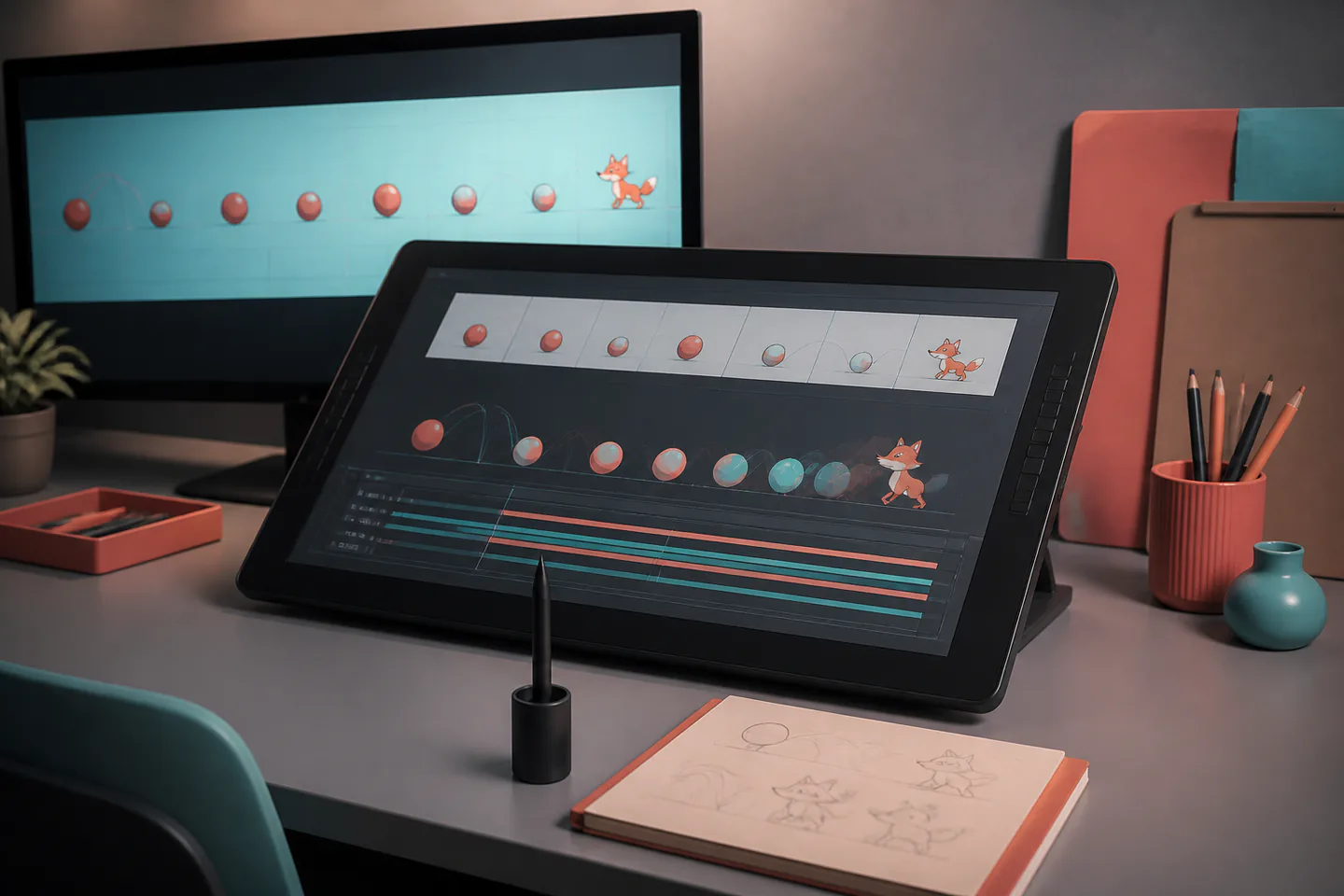
A short frame-by-frame loop makes timing, onion skin, holds and cleanup visible without requiring a finished character film.
Quick answer
Complete one two-second loop before expanding the setup
Use Krita’s Animation workspace or another supported frame-by-frame application and keep the canvas small. Set frame rate, draw a ground line, create contact and extreme poses for a bouncing flour sack or simple ball, expose drawings for multiple frames where needed, add in-betweens with onion skin, preview at actual speed and export both the source and a frame sequence.
- 01
Strong key poses communicate action before smooth in-betweens exist. Record what happened during 2d digital animation so the next attempt changes one known variable instead of several guesses.
- 02
Drawing on twos exposes one drawing for two film frames and can reduce work while preserving readable motion. Record what happened during 2d digital animation so the next attempt changes one known variable instead of several guesses.
- 03
Onion skin is a positional guide, not a reason to trace every previous line. Record what happened during 2d digital animation so the next attempt changes one known variable instead of several guesses.
- 04
A stable naming and layer system prevents cleanup and colour from breaking timing. Record what happened during 2d digital animation so the next attempt changes one known variable instead of several guesses.
What to expect
What 2d digital animation is really like at the start
The useful beginner controls are preparation, one bounded task and a record of the result; specialist equipment matters only when it solves a repeated limitation.
Drawing
More frames do not fix weak poses or drifting proportions. Record what happened during 2d digital animation so the next attempt changes one known variable instead of several guesses.
Timeline
Holds, blanks and duplicate frames are deliberate timing decisions. Record what happened during 2d digital animation so the next attempt changes one known variable instead of several guesses.
Playback
Software may drop frames, so the timeline and exported sequence both need checking. Record what happened during 2d digital animation so the next attempt changes one known variable instead of several guesses.
Cleanup
Line quality and colour can take longer than rough animation. Record what happened during 2d digital animation so the next attempt changes one known variable instead of several guesses.
Core method
The core 2d digital animation method
Set a bounded scene
Choose canvas, frame rate, duration and one action before drawing detail. Record what happened during 2d digital animation so the next attempt changes one known variable instead of several guesses.
Block extremes
Draw the poses where direction, force or expression changes. Record what happened during 2d digital animation so the next attempt changes one known variable instead of several guesses.
Test timing
Hold the extremes, preview and move drawings on the timeline before adding more. Record what happened during 2d digital animation so the next attempt changes one known variable instead of several guesses.
In-between and export
Add only the drawings the motion needs, check arcs and volume and export a numbered sequence. Record what happened during 2d digital animation so the next attempt changes one known variable instead of several guesses.
Useful products
Products with a clear job in the route
A compact tablet removes mouse drawing as a barrier, the sketchbook supports thumbnails and headphones are useful only when the first timed scene later gains sound.
XP-Pen Deco mini7 V2 Graphics Tablet
It removes mouse drawing as the main limitation without buying a pen display.
Artgecko Artgecko A4 Mixed Media Sketchbook 150 gsm
The page size suits observational drawing and process notes without specialist paper.
Audio-Technica ATH-M40x Monitor Headphones
Closed backs are practical while recording and checking a first mix.
First project
Animate a flour sack hopping once
The simple shape can squash, anticipate, jump, land and settle without anatomy or dialogue.
- 01
Thumbnail five poses
Plan anticipation, take-off, apex, contact and settle on paper. Record what happened during 2d digital animation so the next attempt changes one known variable instead of several guesses.
- 02
Create the project
Set frame rate, canvas, timeline length and file location. Record what happened during 2d digital animation so the next attempt changes one known variable instead of several guesses.
- 03
Draw the extremes
Keep the volume and ground contact consistent. Record what happened during 2d digital animation so the next attempt changes one known variable instead of several guesses.
- 04
Time, then in-between
Move key drawings until the action reads and add only necessary transitions. Record what happened during 2d digital animation so the next attempt changes one known variable instead of several guesses.
- 05
Export and review
Watch the loop at normal speed and inspect frames for drift and accidental gaps. Record what happened during 2d digital animation so the next attempt changes one known variable instead of several guesses.
What can wait
What can wait until the first result
Delay anything that adds cost, risk or another variable before the basic workflow has produced something you can review.
- 01
A full character design
Anatomy, costume and turnaround consistency obscure the motion lesson. Record what happened during 2d digital animation so the next attempt changes one known variable instead of several guesses.
- 02
Lip sync
Dialogue adds phonemes, acting and audio timing. Record what happened during 2d digital animation so the next attempt changes one known variable instead of several guesses.
- 03
A large pen display
A screenless tablet can reveal whether direct pen input is the real limit. Record what happened during 2d digital animation so the next attempt changes one known variable instead of several guesses.
- 04
Polished colour backgrounds
Finish the rough motion before committing to cleanup and paint. Record what happened during 2d digital animation so the next attempt changes one known variable instead of several guesses.
Upgrade path
Add the capability you can now name
Each stage should remove a demonstrated constraint rather than make the setup look more advanced.
Use what you own
£0–£20Existing equipment and one written plan
Use free software and simple shapes.Repeat the first route
Free software; £0–£50 optional tabletA complete repeatable starter setup
Repeat short loops with clear naming and exports.Add one capability
Often £50–£250One selected tool, service or learning resource
Add a tablet, pen display or animation course only for a repeated input or drawing problem.Build specialist depth
Club, course or specialist dependentA documented specialist workflow
Develop scenes with acting, dialogue, compositing and production handoffs.Safety & care
Keep the workflow sustainable and the artwork yours
Repetitive drawing, file loss and copied characters are more common beginner problems than hardware failure.
- Take movement, grip and distance-vision breaks during repeated drawing sessions.
- Save versioned source files and numbered-frame exports in more than one location.
- Use original characters or assets with clear permission and keep licence records.
- Check flashing, high-contrast and rapid-motion content before public delivery.
- Keep listening levels conservative when timing animation to sound.
Outside help
When outside help earns its place
A frame-by-frame course earns its place when pose clarity, spacing or volume drift needs live drawing correction.
Look for short completed exercises, rough-animation review and source files rather than software tours alone.
Use outside help after the first 2d digital animation attempt can reveal the exact technique, access or safety problem that needs live correction.
Representative UK learning and access routes checked 1 September 2026; local prices, permissions, equipment and tutor support vary.
Sources
Where the guidance came from
Authoritative and specialist guidance supports the method and safety boundaries; community discussion contributes recurring beginner problems rather than unsupported claims.
-
01
Krita Manual · Animation
Official frame-by-frame, keyframe, onion-skin and timeline workflow.
Open source -
02
OpenToonz User Manual
Official 2D animation levels, Xsheet, timeline and movement reference.
Open source -
03
Krita Manual · Animation Timeline
Official frame, hold, layer and timeline control reference.
Open source -
04
OpenToonz · Drawing animation levels
Official frame-by-frame drawing and level workflow.
Open source -
05
Pixar in a Box · Animation
Timing and interpolation learning exercises.
Open source -
06
Reddit · r/animation
Community evidence on first loops, tablets, software and practice scope.
Open source -
07
Amazon UK · Deco mini7 V2 Graphics Tablet
Exact Amazon UK product page or ISBN used for this recommendation; current price, seller, specification and availability should be confirmed.
Open source -
08
Amazon UK · Artgecko A4 Mixed Media Sketchbook 150 gsm
Exact Amazon UK product page or ISBN used for this recommendation; current price, seller, specification and availability should be confirmed.
Open source -
09
Amazon UK · ATH-M40x Monitor Headphones
Exact Amazon UK product page or ISBN used for this recommendation; current price, seller, specification and availability should be confirmed.
Open source
Guide information and links checked 1 September 2026.