Beginner’s guide · Play & perform
A mixed and exported one-minute original track
Finish a short arrangement before buying a studio.
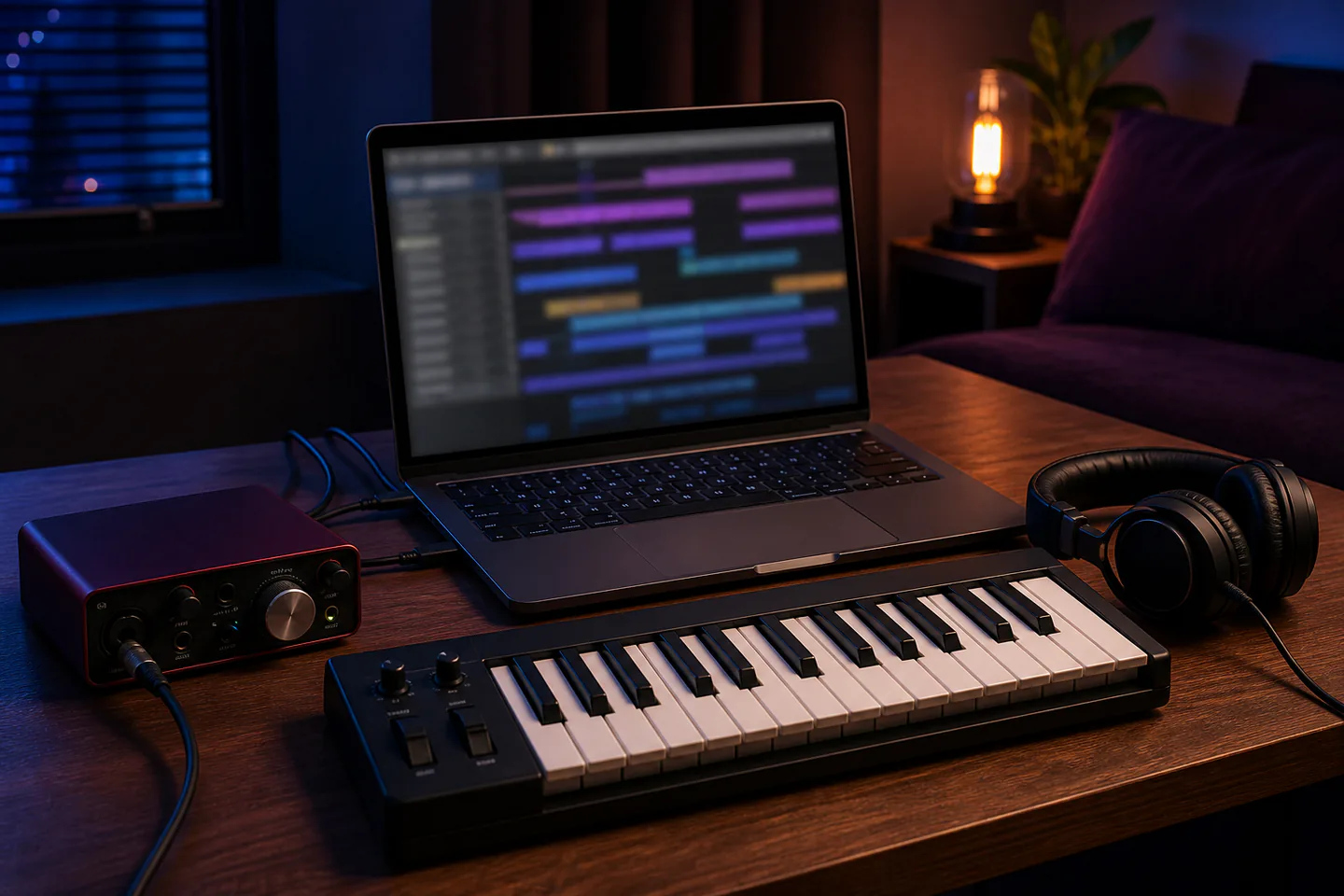
Start in a free or bundled digital audio workstation with the computer and headphones you already have. Build an eight-bar idea from drums, bass and one melodic part, arrange it to one minute and export it before adding hardware.
Quick answer
Use stock sounds and finish sixty seconds in one DAW
Install one reputable DAW that runs well on the existing computer, create a project folder and set audio output to wired headphones or speakers at a modest level. Choose a tempo, program a simple drum pattern, add a bass part and one chord or melody using stock instruments, then copy and alter sections into a beginning, middle and end. Balance track levels without clipping and export a WAV plus an MP3 listening copy.
- 01
A DAW, computer and listening device are enough to learn arrangement. A MIDI controller sends instructions; it does not make sound by itself.
- 02
Stock instruments and effects are complete learning tools. Plugin shopping often delays finishing and creates compatibility work.
- 03
Keep the master channel below clipping and monitor quietly. Loudness is not evidence that a mix is better.
- 04
Save projects and audio into one folder, use versioned filenames and back up to a second location before experimenting.
What to expect
The creative bottleneck is usually decision-making
Modern software offers more sounds than anyone needs. Limiting tracks and committing to an arrangement teaches production faster than collecting presets.
DAW
Learn one timeline, mixer, piano roll, automation lane and export dialog before comparing platforms.
Rhythm
A small number of well-placed drum sounds creates clearer groove than a crowded pattern.
Harmony
A two- or four-chord loop is enough; voice leading and sound choice matter more than theoretical complexity.
Arrangement
Create contrast by removing, changing or introducing parts every few bars rather than stacking forever.
Mix
Lower faders, pan deliberately and use EQ to solve audible overlap—not because every track “needs” processing.
Finish
Export at a deadline, listen on another device and write three changes for the next track instead of endlessly repairing the first.
Core method
Create a repeatable project-to-export workflow
Set up one stable system
Check the DAW’s computer requirements and audio settings, choose a sample rate and buffer that plays reliably and disable unnecessary background software. Create a template folder containing projects, recorded audio, exports and notes; use headphones at a moderate level.
Build an eight-bar core
Set tempo and metronome, program a kick and snare pattern and add only enough percussion to establish feel. Enter a bass line that supports the rhythm, then record or draw a chord, melody or texture. Quantise selectively and keep timing choices audible rather than automatically perfect.
Turn the loop into a minute
Duplicate the loop across a short timeline, then make an intro with fewer parts, a main section, one contrast and an ending. Use mutes, velocity, note changes and simple automation before reaching for new plugins. Name tracks and colour-code only enough to navigate.
Balance and export
Pull all faders down, raise the important element and build around it while leaving master headroom. Check for clipping and abrupt edits, listen quietly and export a lossless WAV plus a smaller listening file. Reopen both files outside the DAW and back up the project folder.
Useful products
Hardware that solves input, control and monitoring jobs
The Scarlett Solo records one microphone or instrument, the MPK Mini adds playable MIDI keys and pads, and the ATH-M40x provides wired closed-back monitoring. None is required to arrange with stock sounds, and each should solve a known need.
Focusrite Scarlett Solo 4th Gen USB Audio Interface
It is widely supported and small enough for a single-performer desk setup.
Akai Professional MPK Mini MK3 MIDI Keyboard Controller
It offers keys and pads in a desk-friendly format and is supported by common DAWs.
Audio-Technica ATH-M40x Professional Monitor Headphones
Closed backs reduce spill during recording and the detachable cables support desk use.
First project
Finish a sixty-second three-part track
A beginning, change and ending create a complete production cycle without requiring vocals or expensive plugins.
- 01
Create and save the project
Set tempo, project folder, audio output and version name.
- 02
Program drums
Build an eight-bar groove with a limited sound set.
- 03
Add bass and one musical part
Use stock instruments and leave space between roles.
- 04
Arrange to one minute
Make an intro, main section, contrast and ending.
- 05
Balance below clipping
Use faders and pan first, then only necessary processing.
- 06
Export and audition
Open WAV and MP3 outside the DAW and note three lessons.
What can wait
What can wait until the first result
Acoustic treatment, microphones and plugin bundles should follow a repeated production need, not the idea of a studio.
- 01
A huge plugin bundle
Stock devices teach synthesis, sampling and mixing without choice overload.
- 02
Studio monitors in an untreated room
Known wired headphones are often more practical at a shared or small desk.
- 03
An expensive microphone
It adds room acoustics, stands, cables and performance technique; use it when recording is central.
- 04
A large MIDI keyboard
Twenty-five keys and pads can test whether hands-on input improves the workflow.
- 05
Mastering services
Finish and balance several tracks before paying to polish one beginner arrangement.
Upgrade path
Upgrade the repeated limitation
Add the first component that removes a repeated limit: input, tactile playing, monitoring or room translation.
Software-only start
Free–£120Computer + DAW + existing wired headphones
Learn MIDI, arrangement and export.Hands-on control
About £80–£140Compact MIDI keyboard
Play parts and automation more directly.Recording route
About £120–£350Interface + microphone/instrument cable
Capture external audio cleanly.Monitoring room
About £350–£1,500+Monitors + stands + measured treatment
Improve translation after a suitable space exists.Safety & care
Protect hearing, files and electrical equipment
Long sessions, high headphone level, trailing cables and lost projects are the everyday risks.
- Monitor at a modest level, take quiet breaks and lower playback before switching presets or connecting equipment.
- Keep drinks away from the computer and audio gear, use undamaged cables and follow phantom-power instructions for microphones.
- Route cables away from feet and never balance heavy monitors or interfaces on unstable furniture.
- Use versioned saves and maintain an automatic backup on a separate device or trusted service.
- Clear samples, vocals and artwork for release; owning software does not automatically grant rights to every included or downloaded asset.
Outside help
When outside help earns its place
Free DAW tutorials can produce the first track. A focused lesson is valuable when it addresses one project, recording setup or mix translation rather than selling a plugin list.
Use browser-based lessons for rhythm, notes, chords and song structure even with another DAW.
Send a track in advance and ask for specific arrangement, mix or workflow feedback.
Representative UK product, club, lesson and venue costs checked 9 August 2026; local prices, access, weather, materials and tutor support vary.
Sources
Where the guidance came from
DAW and equipment documentation defines operation; established audio publications and producer communities add workflow and purchasing experience.
-
01
Ableton · Learning Music
Interactive foundations for beats, notes, chords and structure.
Open source -
02
Focusrite · Getting started
Interface setup, drivers, connections and recording support.
Open source -
03
Sound On Sound · Techniques
Long-running specialist recording, mixing and production education.
Open source -
04
MusicRadar · Beginner production
Current software and workflow tutorials.
Open source -
05
Reddit · r/WeAreTheMusicMakers
Community discussion of DAWs, finishing, monitoring and equipment.
Open source -
06
Amazon UK · Focusrite Scarlett Solo 4th Gen
Exact product page, model or ISBN, observed price and availability checked for this guide.
Open source -
07
Amazon UK · Akai MPK Mini MK3
Exact product page, model or ISBN, observed price and availability checked for this guide.
Open source -
08
Amazon UK · Audio-Technica ATH-M40x
Exact product page, model or ISBN, observed price and availability checked for this guide.
Open source
Guide information and links checked 9 August 2026.