Beginner’s guide · Make & create
A readable 32 × 32 pixel object sprite
Design the silhouette before shading a single pixel.
Start in free pixel-art software with a mouse or inexpensive screenless tablet. A 32 × 32 icon teaches cluster shape, limited palette and clean edges before animation or a screen tablet.
Quick answer
Draw one 32 × 32 object with five colours and no smoothing
Open a pixel-capable editor, create a 32 × 32 transparent canvas and turn off anti-aliasing, interpolation and soft brushes. Choose a familiar object, draw its one-colour silhouette with the pencil tool and inspect it at actual size. Add one light, one shadow, one accent and an optional outline, placing pixels in connected clusters rather than scattered noise. Export the original-size PNG, then make a nearest-neighbour enlarged copy for sharing.
- 01
Pixel art is deliberate low-resolution design, not a normal painting reduced after completion.
- 02
A mouse is fully capable. A screenless tablet can improve comfort or drawing motion but does not create cleaner clusters automatically.
- 03
Work zoomed in and check at 100% often; a sprite must read at its actual display size.
- 04
Nearest-neighbour scaling preserves hard edges. Smooth scaling blurs the very structure being designed.
What to expect
What the first pixel art result really teaches
The technical setup is simple; the visual editing is demanding. One removed pixel can improve a silhouette more than an hour of shading.
Canvas
Small dimensions force hierarchy. Start at the intended pixel grid rather than drawing large and shrinking.
Silhouette
A solid one-colour shape should identify the object before internal details appear.
Cluster
Connected shapes of colour read more cleanly than isolated single-pixel noise.
Palette
Five deliberate colours teach value and hue relationships better than sampling endless near-duplicates.
Edges
Avoid accidental stair-step rhythms and pillow shading; place corners to describe the form.
Export
Keep the editable source, an original-size PNG and a scaled preview with no smoothing.
Core method
Build one repeatable pixel art workflow
Set the editor for hard pixels
Use a 1-pixel pencil, transparent background and integer zoom. Disable anti-aliasing, pressure-sized brush edges and smoothing. Draw a diagonal test line and export it at 800%; if new blurred colours appear, correct the scaling settings before the real sprite.
Solve the silhouette first
Collect several references you are entitled to use and identify the object’s most recognisable asymmetry. Fill a solid shape at 32 × 32, view it at actual size and remove bumps or narrow features that become noise. Save this stage as a version.
Build a five-colour palette
Choose background transparency plus an outline or deepest shadow, body middle, lighter plane and one accent. Apply large connected regions based on one light direction. Avoid placing a lighter strip evenly around every edge, which creates pillow shading.
Edit clusters and export
Zoom out repeatedly, flip the canvas to expose lopsided forms and remove isolated pixels that do not carry information. Save the layered or indexed source. Export one original PNG and a 10× nearest-neighbour version; test both in the intended app or web page.
Useful products
Products with a clear job in the setup
The XP-Pen mini7 V2 is the inexpensive screenless input route the site favours; the Wacom One Small is a recognised alternative; the Pixel Art book is an optional structured exercise source. A mouse and free tutorials can replace all three at first.
XP-Pen Deco mini7 V2 Graphics Tablet
Its active area is sufficient for small sprites and it leaves budget for software or no purchase at all.
Wacom One by Wacom Small Graphics Tablet
It is compact, widely supported and avoids paying for an integrated display.
Pixel Pete Pixel Art: Where to Start
A book can keep palette, cluster and exercise advice beside the editor without switching windows.
First project
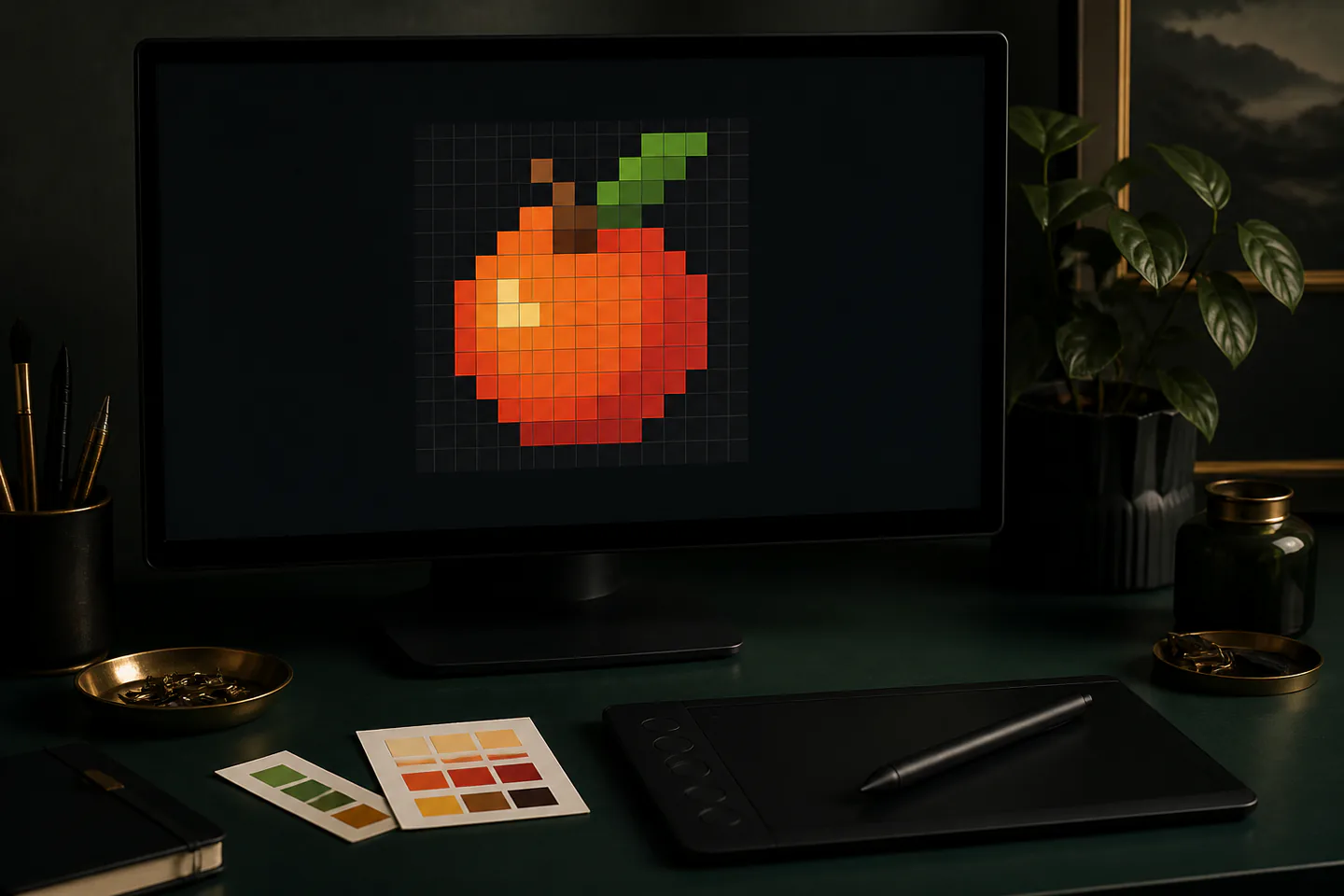
Make a five-colour fruit icon
A familiar asymmetric object makes silhouette and highlight decisions visible without character anatomy.
- 01
Create a 32 × 32 canvas
Disable smoothing and test a hard one-pixel line.
- 02
Fill one silhouette
Make the fruit readable at actual size.
- 03
Choose five colours
Keep a clear light-to-dark value order.
- 04
Place broad shadow clusters
Use one light direction and connected shapes.
- 05
Add one accent
A leaf, shine or stem should support recognition.
- 06
Export two sizes
Keep original pixels and a nearest-neighbour preview.
What can wait
What can wait until the first result
A display tablet, huge canvas and animation timeline add expense or complexity before static pixel decisions are convincing.
- 01
A screen drawing tablet
Direct display is convenient, but a mouse or cheap screenless tablet already tests the core hobby.
- 02
Hundreds of colours
Near-duplicate shades create banding and make palette decisions harder to revise.
- 03
Character animation
A single readable idle sprite should exist before multiple frames multiply every weakness.
- 04
Automatic pixel filters
Reducing a photograph can create a reference, not the intentional cluster editing that defines the craft.
- 05
Tiny isolated texture
Noise competes with the silhouette and usually flickers during scaling or motion.
Upgrade path
Upgrade the repeated limitation
Upgrade the input, software or animation workflow only when a repeated production limitation appears.
Software-only start
FreeMouse + free pixel editor
Learn silhouette, clusters and export.Comfort input
About £30–£60Small screenless tablet
Use pen movement and pressure shortcuts.Dedicated pixel workflow
About £15–£80Aseprite or similar + palette and animation tools
Manage tiles, frames and indexed colour.Professional asset setup
About £200–£1,000+Larger tablet, calibrated display and game pipeline
Produce spritesheets and client-ready assets.Safety & care
Protect posture, files and rights
The practical risks are repetitive input, eye fatigue, lost source files and unlicensed references rather than the materials themselves.
- Adjust mouse or tablet position, relax grip and take regular hand, shoulder and distance-view breaks.
- Reduce glare, use comfortable display brightness and stop for persistent headache, numbness, pain or visual disturbance.
- Save versioned source files, keep automatic backups in a second location and test exported PNG transparency before deleting layers.
- Use reference images and palettes within their licences; redrawing copyrighted game sprites pixel by pixel does not create original commercial art.
- Do not install unknown brushes, extensions or executable art tools from untrusted sources.
Outside help
When outside help earns its place
Free software tutorials can cover the first sprite. A course becomes useful for animation, tilesets, game-engine export or critique of a cohesive asset set.
Use exercises on clusters, ramps, dithering and scaling.
Check that assignments are created at native resolution and include feedback.
Representative UK product, workshop, lesson and club costs checked 13 August 2026; local prices, access, materials and tutor support vary.
Sources
Where the guidance came from
Software and tablet makers define technical setup; specialist pixel-art resources and communities provide cluster, palette and production experience.
-
01
Lospec · Pixel art tutorials
Specialist low-resolution technique and palette resources.
Open source -
02
Aseprite · Documentation
Editor setup, indexed colour, animation and export guidance.
Open source -
03
XP-Pen · Deco mini7 V2
Manufacturer size, pressure and compatibility details.
Open source -
04
Pixel Joint
Long-running pixel-art gallery and critique community.
Open source -
05
Reddit · r/PixelArt
Community feedback on sprites, palettes, tools and animation.
Open source -
06
Amazon UK · XP-Pen Deco mini7 V2
Exact product page, model or ISBN, observed price and availability checked for this guide.
Open source -
07
Amazon UK · One by Wacom Small
Exact product page, model or ISBN, observed price and availability checked for this guide.
Open source -
08
Amazon UK · Pixel Art beginner book
Exact product page, model or ISBN, observed price and availability checked for this guide.
Open source
Guide information and links checked 13 August 2026.