Beginner’s guide · Observe & photograph
Tell one story in six shots.
Sound carries more than the camera spec.
Use the phone you own, lock the basic look and film a short action as a sequence of wide, medium and detail shots. Stable framing and clear sound matter before cinematic accessories.
Quick answer
Plan six useful shots before adding equipment
Choose one visible action such as making tea, packing a bag or repairing a bicycle tyre. Record a wide establishing shot, two medium action shots, two details and one ending. Keep the phone horizontal or vertical according to the intended platform, clean the lens, lock focus and exposure where the app allows, hold each shot for several seconds and capture quiet room tone.
- 01
A complete sequence teaches more than one beautiful slow-motion clip.
- 02
The phone microphone can work at close range in a quiet room. Distance and noise matter more than a logo.
- 03
A rig improves handling but does not stabilise walking automatically; brace, lean or use a tripod.
- 04
Microphones need the correct USB-C, Lightning or analogue connection and may require an adapter or app setting.
What to expect
Editing reveals what was missing during filming
A shot can look good alone and still fail to connect. Coverage, screen direction, clean sound and held beginnings and endings make the edit possible.
Orientation
Choose the final platform before filming. Cropping horizontal footage vertically can remove the action.
Exposure
Phones change brightness and focus during a take unless controls are locked. Mixed lighting causes distracting shifts.
Sound
Rooms echo and wind overwhelms small microphones. Move closer and choose a quieter location before buying.
Movement
Slow deliberate moves are difficult. Static varied shots usually cut together better than constant handheld motion.
Continuity
Hands, objects and eyelines should continue logically across cuts unless the jump is intentional.
Storage
High-resolution video fills storage quickly and can overheat a phone. Back up, label and delete only verified copies.
Core method
Design the edit before pressing record
Write a six-shot plan
State the action and ending in one sentence. Draw six boxes: place, start, action, detail, consequence and finish. Decide orientation, frame rate and approximate length once. A shot list reduces repeated takes and shows which visual information the viewer needs.
Prepare the phone and location
Clean every lens, enable enough free storage, charge the battery and silence notifications. Remove mixed room lighting where possible. Listen for fans, traffic and refrigerators. Put the phone close enough for useful sound and record a ten-second test that is watched with headphones before the full sequence.
Record edit-friendly takes
Hold each frame still for two seconds before and after the action. Film the wide safety shot, then repeat the action for medium and detail views while keeping object positions consistent. Avoid digital zoom; move safely or change lens only when the phone’s lens is suitable. Record room tone and any essential clean sound separately.
Edit for clarity before effects
Create a project in iMovie or another trusted editor, arrange the action and remove dead time without making it breathless. Use natural sound to bridge cuts, adjust levels and add titles only when they carry information. Export once, watch on another device and retain the original clips and project until delivery is verified.
Useful products
Handling, sound and one small controllable light
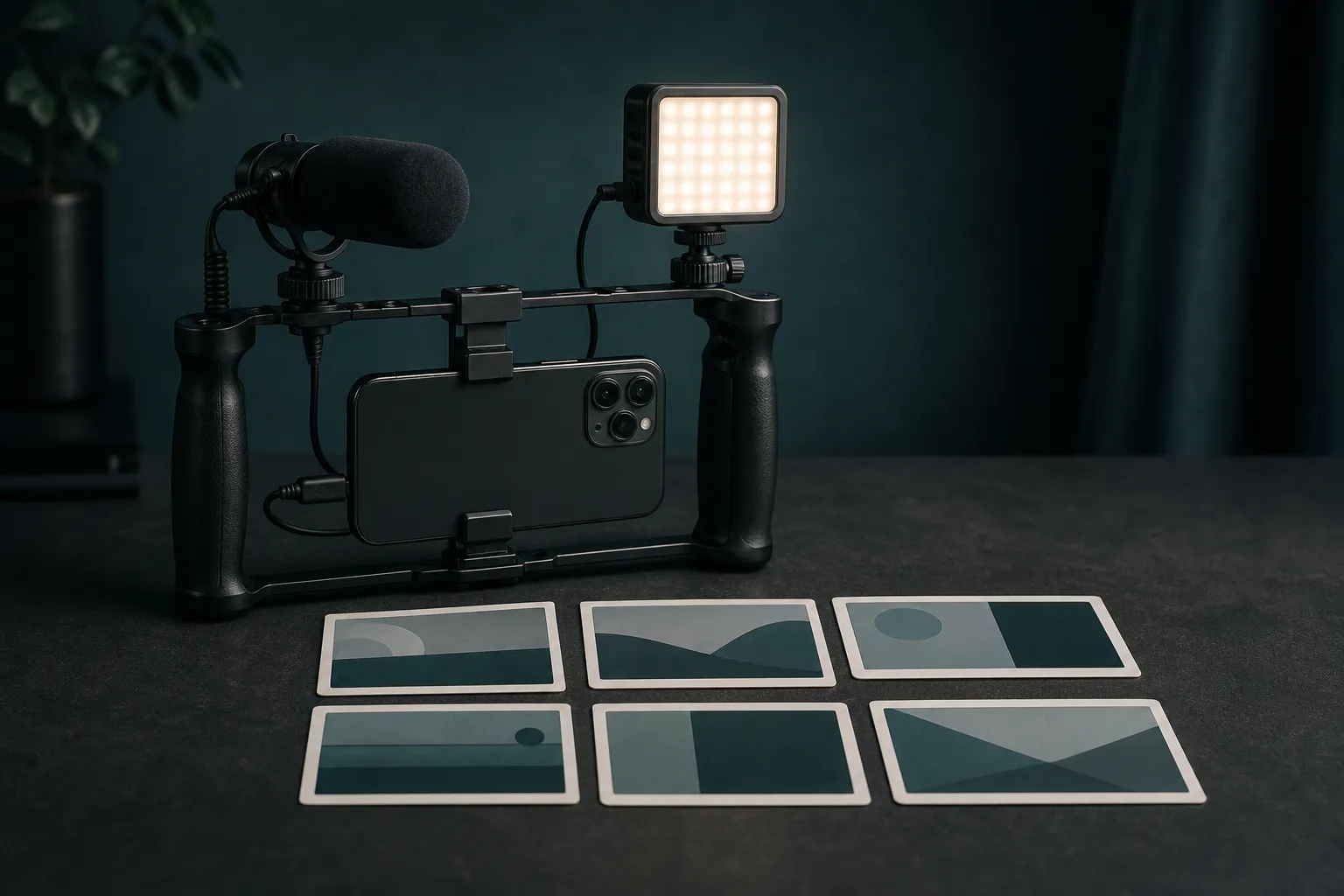
The Ulanzi rig gives the phone attachment points and a steadier two-handed shape. The Rode VideoMicro II is a compact directional microphone but needs the correct phone cable or adapter. The VL49 is a small close-range light. Rode Wireless Micro is a later USB-C dialogue route; choose the matching connection.
Ulanzi U-Rig Pro Smartphone Video Rig
It improves repeatability without pretending to be a powered stabiliser.
RØDE VideoMicro II On-Camera Microphone
It is a recognised compact microphone that can move from phone to camera workflows.
Ulanzi VL49 Rechargeable LED Video Light
It can solve a dark face or product detail without turning the first kit into a large lighting setup.
RØDE Wireless Micro USB-C
It solves cable distance for interviews and demonstrations with a simple phone receiver.
First project
Film one ordinary action in six shots
Keep the action under a minute and repeatable. Tea, a parcel, a sketch or a simple tool setup provides clear hands-and-object continuity without actors.
- 01
Write the ending
Decide what visibly changes by the final frame.
- 02
Draw six frames
Plan wide, medium and detail coverage and choose the final orientation.
- 03
Test picture and sound
Lock exposure where possible and listen to a recorded sentence with headphones.
- 04
Record the wide take
Capture the whole action with long handles at the beginning and end.
- 05
Repeat for details
Maintain object positions and record closer actions and clean sound.
- 06
Edit and verify
Cut for comprehension, balance audio, export and watch the complete file on another screen.
What can wait
What can wait until the first result
Equipment should solve a recorded problem that cannot be fixed by distance, location or shot design.
- 01
A gimbal
It adds balance, batteries and technique. Static coverage is the better first grammar.
- 02
Several lenses
Phone add-on optics can soften images or block sensors. Learn the built-in lenses first.
- 03
A cinematic app subscription
The native camera and free editor can establish exposure, coverage and sound habits.
- 04
Large lighting kits
One window or compact soft source is enough for a six-shot indoor sequence.
- 05
Copyrighted music
Use licensed or original audio and keep evidence of the permission.
Upgrade path
Upgrade the repeated limitation
Fix sound first, then stability or light according to the footage.
Phone only
FreeNative camera + six-shot plan + free editor
Learn coverage and continuity.Handling rig
About £19Two-handed cage + static support
Add mounting points and reduce casual shake.Closer microphone
About £56–£84Compatible wired or wireless mic
Improve speech by reducing distance and room noise.Controlled kit
About £100–£400Tripod, soft light, audio monitoring and chosen app
Repeat results across locations.Safety & care
Protect people, hearing, data and public space
A small phone does not remove permission, privacy, copyright or location responsibilities.
- Get informed permission from identifiable contributors and explain where the finished film will appear.
- Do not record private conversations, vulnerable people or restricted locations merely because the phone is unobtrusive.
- Secure stands and lights, keep cables out of routes and never back into traffic while framing.
- Monitor sound at safe levels, use wind protection and verify connector compatibility before an important shoot.
- Back up footage, protect personal data and license music, graphics and clips for the intended use.
Outside help
When outside help earns its place
A workshop is useful when it includes a finished edit and sound feedback, not only demonstrations of accessories.
Use current official instructions for assembling, trimming and exporting a first phone film.
Check phone compatibility, contributor consent, sound practice and whether a finished edit is included.
Representative UK prices and free learning routes checked 3 August 2026; local availability, materials and tutor support vary.
Sources
Where the guidance came from
Official phone and editing documentation grounds capture and export; established microphone guidance supports the emphasis on distance and compatibility.
-
01
Apple · iPhone camera basics
Current capture controls and camera basics.
Open source -
02
Apple · iMovie for iPhone
Official mobile editing, audio, titles and export workflow.
Open source -
03
RØDE · VideoMicro II user guide
Manufacturer setup, connection and directional microphone guidance.
Open source -
04
BBC Academy · Smartphone journalism
Professional mobile capture and storytelling principles.
Open source -
05
Amazon UK · Ulanzi U-Rig Pro
Exact product page, model or ISBN, observed price and availability checked for this guide.
Open source -
06
Amazon UK · RØDE VideoMicro II
Exact product page, model or ISBN, observed price and availability checked for this guide.
Open source -
07
Amazon UK · Ulanzi VL49 LED light
Exact product page, model or ISBN, observed price and availability checked for this guide.
Open source -
08
Amazon UK · RØDE Wireless Micro USB-C
Exact product page, model or ISBN, observed price and availability checked for this guide.
Open source
Guide information and links checked 3 August 2026.