Beginner’s guide · Make & build
Serve one folder locally,
then prove you can restore it.
A Pi NAS begins with supported power, cooling, external storage, Samba permissions and a backup tested from another computer.
Quick answer
Complete one local file share before expanding the setup
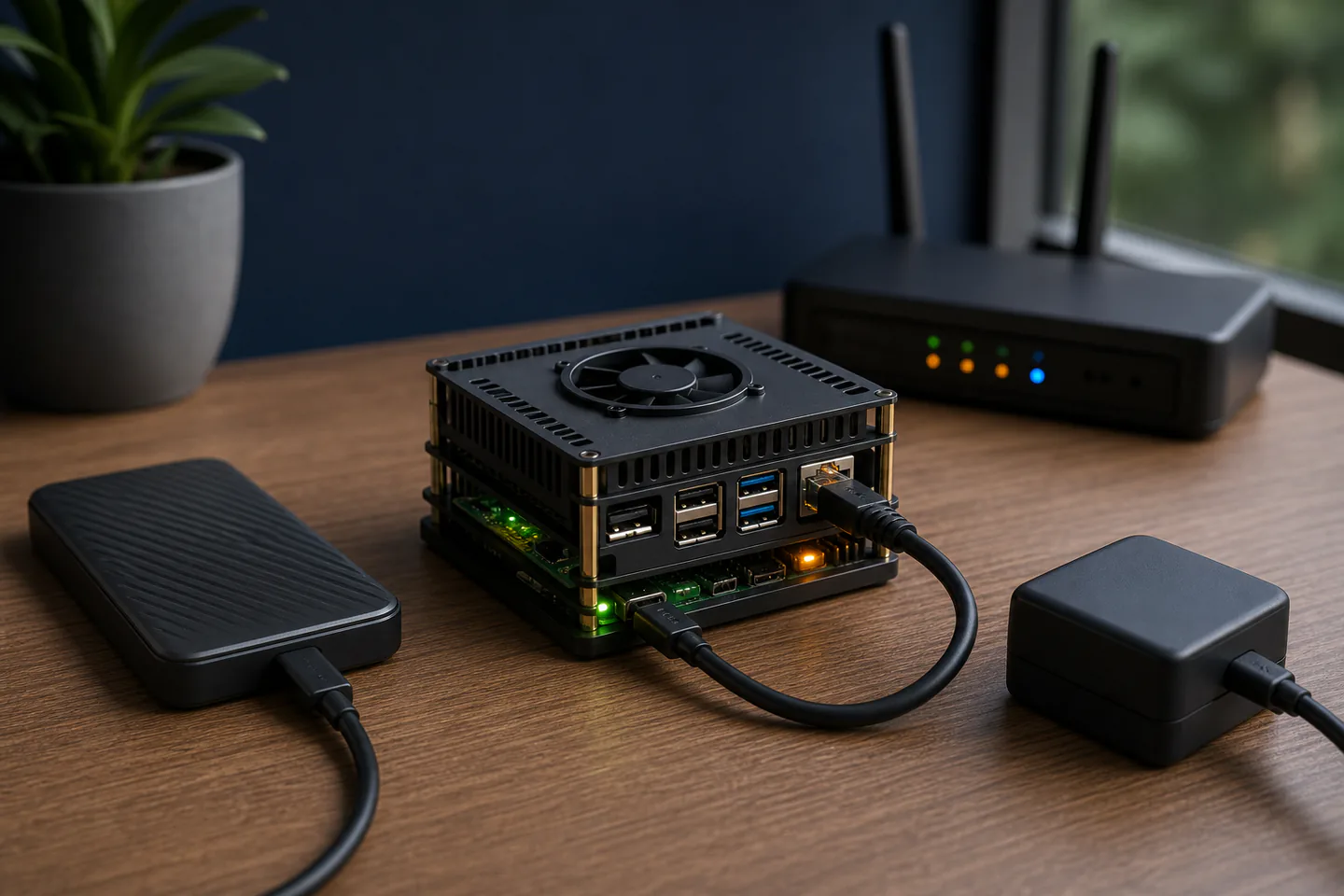
Use a supported Raspberry Pi with the correct power supply and cooling, write current Raspberry Pi OS to removable system media, apply updates, set a unique account and hostname and keep the first server on the home network only. Attach one separately powered or suitably powered external drive, mount it by a stable identifier, create a Samba share for one test folder, connect from another computer, copy checksummed files and restore them from a second independent backup before considering remote access or media services.
- 01
A NAS share improves access but is not a backup; deletion, corruption and theft can affect every connected copy. Record what happened during raspberry pi home server building so the next attempt changes one known variable instead of several guesses.
- 02
External drives need reliable power, stable mounts and predictable behaviour after reboot. Record what happened during raspberry pi home server building so the next attempt changes one known variable instead of several guesses.
- 03
Permissions should grant the named user only the access the service requires. Record what happened during raspberry pi home server building so the next attempt changes one known variable instead of several guesses.
- 04
A home server needs updates, logs, graceful shutdown and recovery notes like any other always-on computer. Record what happened during raspberry pi home server building so the next attempt changes one known variable instead of several guesses.
What to expect
What raspberry pi home server building is really like at the start
The useful beginner controls are preparation, one bounded task and a record of the result; specialist equipment matters only when it solves a repeated limitation.
Power
Undervoltage and bus-powered drives can create intermittent failures that look like software bugs. Record what happened during raspberry pi home server building so the next attempt changes one known variable instead of several guesses.
Storage
The microSD card is convenient system media but should not be the only home for important data. Record what happened during raspberry pi home server building so the next attempt changes one known variable instead of several guesses.
Network
A local share depends on hostname, address, firewall, user and protocol settings on both ends. Record what happened during raspberry pi home server building so the next attempt changes one known variable instead of several guesses.
Recovery
A backup is only demonstrated when a different copy is restored and opened. Record what happened during raspberry pi home server building so the next attempt changes one known variable instead of several guesses.
Core method
The core raspberry pi home server building method
Build the supported base
Document board, power supply, cooler, case, system image and network connection before installing services. Record what happened during raspberry pi home server building so the next attempt changes one known variable instead of several guesses.
Prepare storage explicitly
Format only the intended drive, label it, mount by UUID and confirm ownership and free space after reboot. Record what happened during raspberry pi home server building so the next attempt changes one known variable instead of several guesses.
Create the smallest share
Install Samba from maintained repositories and expose one test folder to one authenticated local user. Record what happened during raspberry pi home server building so the next attempt changes one known variable instead of several guesses.
Test failure and restore
Reboot, reconnect, inspect logs, copy known files and restore from a separate backup without using the server copy. Record what happened during raspberry pi home server building so the next attempt changes one known variable instead of several guesses.
Useful products
Products with a clear job in the route
The complete Pi bundle covers the base computer, the official cooler suits a compatible bare-board case and the SD card is useful as labelled system or recovery media rather than sole data storage.
db-tronic Raspberry Pi 5 4GB Starter Kit
It reduces power, storage and thermal compatibility hunting before the software setup.
Raspberry Pi Raspberry Pi 5 Active Cooler
It addresses throttling with a model-specific part rather than an arbitrary fan.
SanDisk 128 GB Extreme PRO SDXC UHS-I Card
A labelled spare image shortens recovery after configuration mistakes.
First project
Share and restore one ten-file test folder
Keep the service local, use non-sensitive files and prove the backup before moving personal data.
- 01
Assemble and update the Pi
Install cooling and storage with power disconnected, image the OS, boot, update and record the hostname. Record what happened during raspberry pi home server building so the next attempt changes one known variable instead of several guesses.
- 02
Prepare the external drive
Use a test drive first, identify it unambiguously, format deliberately and confirm the mount after reboot. Record what happened during raspberry pi home server building so the next attempt changes one known variable instead of several guesses.
- 03
Create one authenticated share
Add a dedicated user, restrict the folder and connect from one ordinary client computer. Record what happened during raspberry pi home server building so the next attempt changes one known variable instead of several guesses.
- 04
Copy and verify test files
Transfer several known files, compare sizes or checksums and inspect permissions. Record what happened during raspberry pi home server building so the next attempt changes one known variable instead of several guesses.
- 05
Restore from the independent copy
Delete only the disposable server test folder, restore it from separate backup and document the procedure. Record what happened during raspberry pi home server building so the next attempt changes one known variable instead of several guesses.
What can wait
What can wait until the first result
Delay anything that adds cost, risk or another variable before the basic workflow has produced something you can review.
- 01
Internet exposure
Port forwarding and public services add authentication, patching and attack-surface responsibilities. Record what happened during raspberry pi home server building so the next attempt changes one known variable instead of several guesses.
- 02
RAID claims
Redundancy can improve availability but does not replace versioned offline backup. Record what happened during raspberry pi home server building so the next attempt changes one known variable instead of several guesses.
- 03
Many containers
A stack of services obscures storage, permission and recovery fundamentals. Record what happened during raspberry pi home server building so the next attempt changes one known variable instead of several guesses.
- 04
Important family archives
Disposable data should prove the complete backup and restore route first. Record what happened during raspberry pi home server building so the next attempt changes one known variable instead of several guesses.
Upgrade path
Add the capability you can now name
Each stage should remove a demonstrated constraint rather than make the setup look more advanced.
Use what you own
£0–£20Existing equipment and one written plan
Build and update the supported Pi.Repeat the first route
About £100–£250 plus storageA complete repeatable starter setup
Run one local authenticated Samba share.Add one capability
Often £50–£250One selected tool, service or learning resource
Add monitoring, UPS behaviour or a media service after recovery is proven.Build specialist depth
Club, course or specialist dependentA documented specialist workflow
Use a dedicated NAS platform or professionally managed service when availability and support matter.Safety & care
Availability, security and backup are three separate jobs
One always-on box cannot be the server, only copy and disaster plan at the same time.
- Use the board maker’s supported power supply, cooling and case clearances and replace damaged cables or connectors.
- Power down before changing storage or internal hardware and keep conductive objects away from the live board.
- Confirm the exact target before formatting or mounting a drive and keep a separate verified backup.
- Apply operating-system and service updates and do not expose the server to the internet without a maintained security design.
- Place the server on a stable ventilated surface away from liquids, fabrics, children and pets.
Outside help
When outside help earns its place
A Linux or makerspace session helps when permissions, mounts or logs remain unclear after the official NAS tutorial.
Choose support that includes backup and restore rather than only making the share visible.
Use outside help after the first raspberry pi home server building attempt can reveal the exact technique, access or safety problem that needs live correction.
Representative UK learning and access routes checked 1 September 2026; local prices, permissions, equipment and tutor support vary.
Sources
Where the guidance came from
Authoritative and specialist guidance supports the method and safety boundaries; community discussion contributes recurring beginner problems rather than unsupported claims.
-
01
Raspberry Pi · Build a NAS
Official storage, powered hub, Samba and client setup.
Open source -
02
Raspberry Pi · Remote access
Official SSH, NFS and Samba reference.
Open source -
03
Raspberry Pi · Getting started
Supported imaging, first boot and update workflow.
Open source -
04
Raspberry Pi · Raspberry Pi 5
Power, cooling and hardware guidance.
Open source -
05
Samba · Documentation
Primary server configuration and protocol reference.
Open source -
06
Reddit · r/homelab
Community evidence on backups, drive power, mounts, permissions and service sprawl.
Open source -
07
Amazon UK · Raspberry Pi 5 4GB Starter Kit
Exact Amazon UK product page or ISBN used for this recommendation; current price, seller, specification and availability should be confirmed.
Open source -
08
Amazon UK · Raspberry Pi 5 Active Cooler
Exact Amazon UK product page or ISBN used for this recommendation; current price, seller, specification and availability should be confirmed.
Open source -
09
Amazon UK · 128 GB Extreme PRO SDXC UHS-I Card
Exact Amazon UK product page or ISBN used for this recommendation; current price, seller, specification and availability should be confirmed.
Open source
Guide information and links checked 1 September 2026.