Beginner's guide · Observe & photograph
Use the camera already with you.
Keep the wildlife distant.
A phone is strongest for nearby common wildlife, environmental portraits, video and patient observation. Clean the lens, use the native camera, avoid digital zoom, stabilise when possible and let distance protect the animal.
Quick answer
Use the camera already with you.
Clean the lens, switch off flash, use the native camera and stay on the phone's true 1× or optical telephoto setting rather than pinching into digital zoom. Brace against a solid object, tap the animal's eye or head to focus, reduce exposure if highlights clip and make short bursts or video while maintaining enough distance that behaviour does not change.
- 01
A phone can make strong environmental images where the animal is small within its habitat. It does not need to imitate a long professional wildlife lens.
- 02
Different rear cameras may have different sensor quality and minimum light. The displayed zoom number does not always mean a dedicated optical lens is active.
- 03
Burst is useful for movement, but many near-identical frames create review work. Anticipate a repeated behaviour and shoot a short deliberate sequence.
- 04
Digiscoping through binoculars or a spotting scope can add reach for stationary wildlife, but alignment, vignetting and vibration make it a patient upgrade rather than a magic telephoto.
What to expect
What the first attempts really involve
Wildlife controls distance, direction and timing. Phone photography works by choosing cooperative situations and a visual story that does not depend on filling the frame.
Reach
Digital zoom enlarges existing pixels and camera shake. A wider habitat image often contains more real detail and context.
Light
Small phone sensors can smear fur and feathers in dim conditions through heavy noise reduction. More daylight and steadier support matter.
Autofocus
Branches and grass may attract focus before a small animal. Tap focus and make several frames without pushing closer.
Delay
Touching the shutter can move the phone and reaction time can miss behaviour. Burst, volume-button release or a small remote can help.
Ethics
A sharp image is not evidence of a safe distance. Watch feeding, alarm and escape behaviour, and retreat at the first change.
Fundamentals
Build the first attempt on reliable fundamentals
Know the real lenses on the phone
In good light, cover each rear lens carefully while switching between labelled zoom steps to learn when the phone changes physical camera. Use the native app first because it normally understands those lenses and computational processing. Avoid third-party manual controls until the baseline behaviour is understood.
Compose for habitat
Use paths, branches, water or open space to frame an animal that remains small in the scene. Place it with room to look or move into. Environmental composition turns limited optical reach into an intentional photograph and records behaviour and place rather than manufacturing closeness.
Stabilise without blocking the world
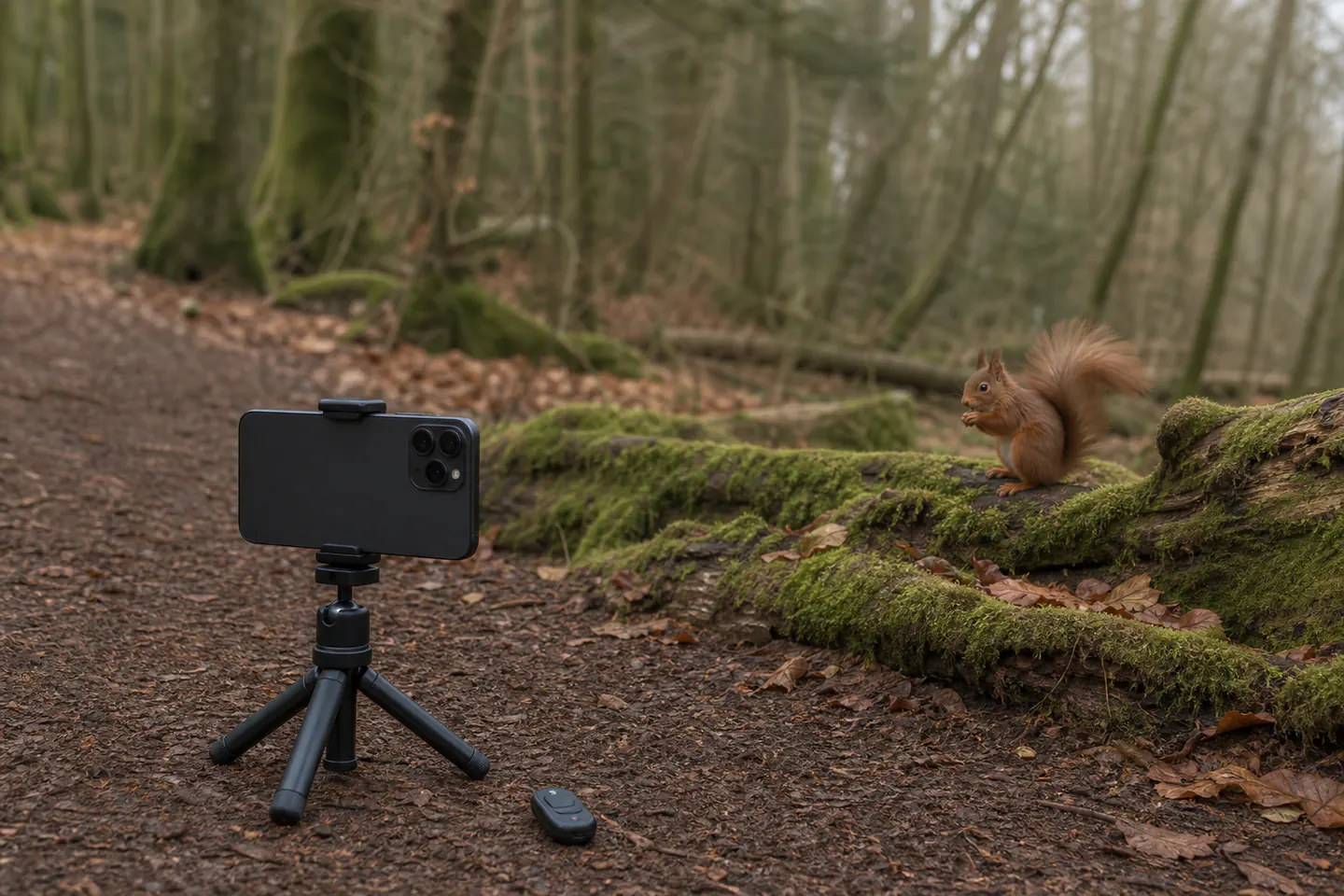
Brace elbows, lean against a tree without damaging it or use a small tripod in a safe stopping place. Keep the path clear and the phone inside its clamp. A remote release helps a pre-framed garden or feeder-free perch, but never leave equipment where wildlife or people can collide with it.
Use video as observation
Short high-resolution video can record movement and sound when a single frame is unlikely. Lock focus and exposure if the app allows, start before the behaviour and stop after a short sequence. Extracted video frames have less still-image flexibility, so choose the method for the outcome rather than shooting everything continuously.
Useful products
Small support and an optional digiscoping bridge
The JOBY micro stand and CamKix remote reduce touch movement for a stationary phone. The Gosky adapter is a later way to align a phone with binoculars or a scope already owned; it is not a recommendation to buy optics only to support the phone.
JOBY GripTight ONE Micro Stand
It is small enough to carry routinely and reduces touch movement for stationary scenes.
CamKix Bluetooth Camera Shutter Remote
It can reduce vibration and lets the observer stand back from a pre-framed legal viewpoint.
First sequence
Make a ten-frame ethical wildlife sequence
Choose common wildlife at a place where stopping is allowed: waterbirds from a public path, garden invertebrates, a squirrel in a park or birds viewed from indoors. Do not bait or approach a nest.
- 01
Prepare the phone
Charge it, free storage, clean the lens and silence sounds or lights that could disturb wildlife.
- 02
Choose a legal viewpoint
Stay on a path or known observation point with safe footing and an escape route that does not cross the animal.
- 03
Watch before framing
Learn the repeated movement and identify whether the animal is relaxed, feeding or already responding to people.
- 04
Select a true camera step
Use the native 1× or known optical telephoto in adequate light, then compose without further digital enlargement.
- 05
Stabilise and focus
Brace or mount safely, tap the visible eye or head and lower exposure slightly if bright plumage or water clips.
- 06
Shoot a short sequence
Use a brief burst around one predictable action or record a concise video instead of holding the shutter indefinitely.
- 07
Leave first
Stop immediately if the animal freezes, alarms, changes route, attends a nest or shows any response to the setup.
- 08
Edit honestly
Choose one sharp frame, crop moderately, avoid AI-added detail and remove precise location data before sharing sensitive species.
Troubleshooting
Read the result before changing the setup
A painterly animal needs more light or less zoom
Return in brighter conditions, use a true optical camera step and reduce the crop. Heavy noise reduction cannot be reversed by oversharpening.
Focus on branches needs a cleaner angle
Move sideways only within the permitted viewpoint, tap the animal repeatedly or wait for it to enter an open area. Do not advance towards it to remove foreground.
Touch blur needs a release change
Use a timer, volume button, compatible remote or short burst while the phone is supported. Confirm that the clamp is not pressing hardware buttons.
Digiscoping black circles need alignment
Centre the phone camera over the eyepiece, start at low optical magnification and shade stray light. A rigid support and stationary target matter more than aggressive phone zoom.
Skip for now
What can wait
The phone's strengths are access, wide views and quick video. Cheap add-on telephoto lenses often make those strengths worse without providing real reach.
- 01
Clip-on super-telephoto lenses
Many add softness, flare and difficult alignment. Use an actual optical camera, or digiscope through good existing optics, when reach becomes essential.
- 02
Flash on wildlife
It can disturb animals and rarely reaches distant subjects usefully. Work with available light and choose conditions the phone can handle.
- 03
Bait and call playback
An engineered close encounter changes behaviour and may create risk. Photograph ordinary natural activity from a suitable distance.
- 04
A camouflage hide for the first outing
A window, public viewpoint or patient sit is simpler. Hides require site permission, safe placement and fieldcraft beyond clothing colour.
Upgrade path
What a better setup changes
Upgrade for stability or genuine optical reach after the same missed image appears repeatedly.
Phone only
Already ownedClean lens + native camera + braced stance
Covers environmental images, close common subjects and short behavioural video.Stable phone setup
About £35–£45Compact stand + compatible remote
Reduces touch movement for a fixed composition or observation point.Existing-optics digiscoping
Add about £20–£40Binocular or scope already owned + aligned phone adapter
Adds reach for bright stationary subjects with slower setup and narrower view.Dedicated wildlife camera
Often £700–£2,000+Interchangeable-lens camera + suitable telephoto + support
Improves autofocus, real reach and low-light action after the commitment is proven.Before upgrading
A useful check before spending more
Review failures by category
Mark ten rejected images as focus, movement, low light, no reach or poor composition. The most common category points to practice, timing, support or optical equipment without guessing.
Protect location data
Before posting, consider whether metadata, landmarks or captions reveal a nest, roost or rare species. Remove or delay sensitive locations and follow conservation guidance.
Safety
The photograph must not change the animal's behaviour
Wildlife welfare, access and personal surroundings override image quality.
- Do not bait, call, touch, trap or pursue wildlife for a photograph.
- Stay away from nests, dens and roosts and leave at the first behavioural change.
- Keep to permitted routes and watch roads, cliffs, tides, water, livestock and other path users.
- Disable flash and unnecessary sounds or lights around wildlife.
- Do not publish precise locations for sensitive species or active breeding sites.
- Keep tripods and unattended phones out of paths and within sight; weatherproof only as the manufacturer permits.
Classes
When outside help is useful
A guided wildlife walk helps with fieldcraft, behaviour and ethical distance. Phone technique itself can be learned independently, so choose a guide who teaches observation rather than promising close encounters.
Look for habitat knowledge, small groups and an explicit welfare policy.
Useful when it covers native camera behaviour, exposure, composition and honest editing outdoors.
Representative UK wildlife and phone-photography formats checked 30 July 2026; access and species vary.
Sources
Sources and checking notes
Natural History Museum guidance anchors phone technique, nature-photography sources add field practice and community discussion reveals real limits around reach and autofocus.
-
01
Natural History Museum · Smartphone wildlife tips
Authoritative beginner guidance on phone setup, composition and wildlife subjects.
Open source -
02
Nature TTL · Smartphone nature photography
Specialist techniques for exposure, focus, accessories and field use.
Open source -
03
BTO · Skills and tools
British wildlife observation and recording tools, including optical and mobile routes.
Open source -
04
RSPB · Wildlife watching code
Wildlife-first behaviour, access and disturbance principles.
Open source -
05
r/wildlifephotography · Smartphone discussion
Practitioner discussion of phone limitations, subject choice and composition.
Open source -
06
Amazon UK · GripTight ONE Micro Stand
Exact JOBY product and direct Amazon UK listing checked for current availability, price context and model identity.
Open source -
07
Amazon UK · Bluetooth Camera Shutter Remote
Exact CamKix product and direct Amazon UK listing checked for current availability, price context and model identity.
Open source -
08
Amazon UK · Universal Smartphone Adapter for Optics
Exact Gosky product and direct Amazon UK listing checked for current availability, price context and model identity.
Open source
Guide information and links checked 30 July 2026.