Beginner’s guide · Research & collect
Document before power,
and keep hazardous power sections closed.
A low-voltage external inspection, careful cleaning and reversible peripheral test can preserve a vintage computer without gambling on old capacitors, batteries or CRTs.
Quick answer
Complete one conservation assessment before expanding the setup
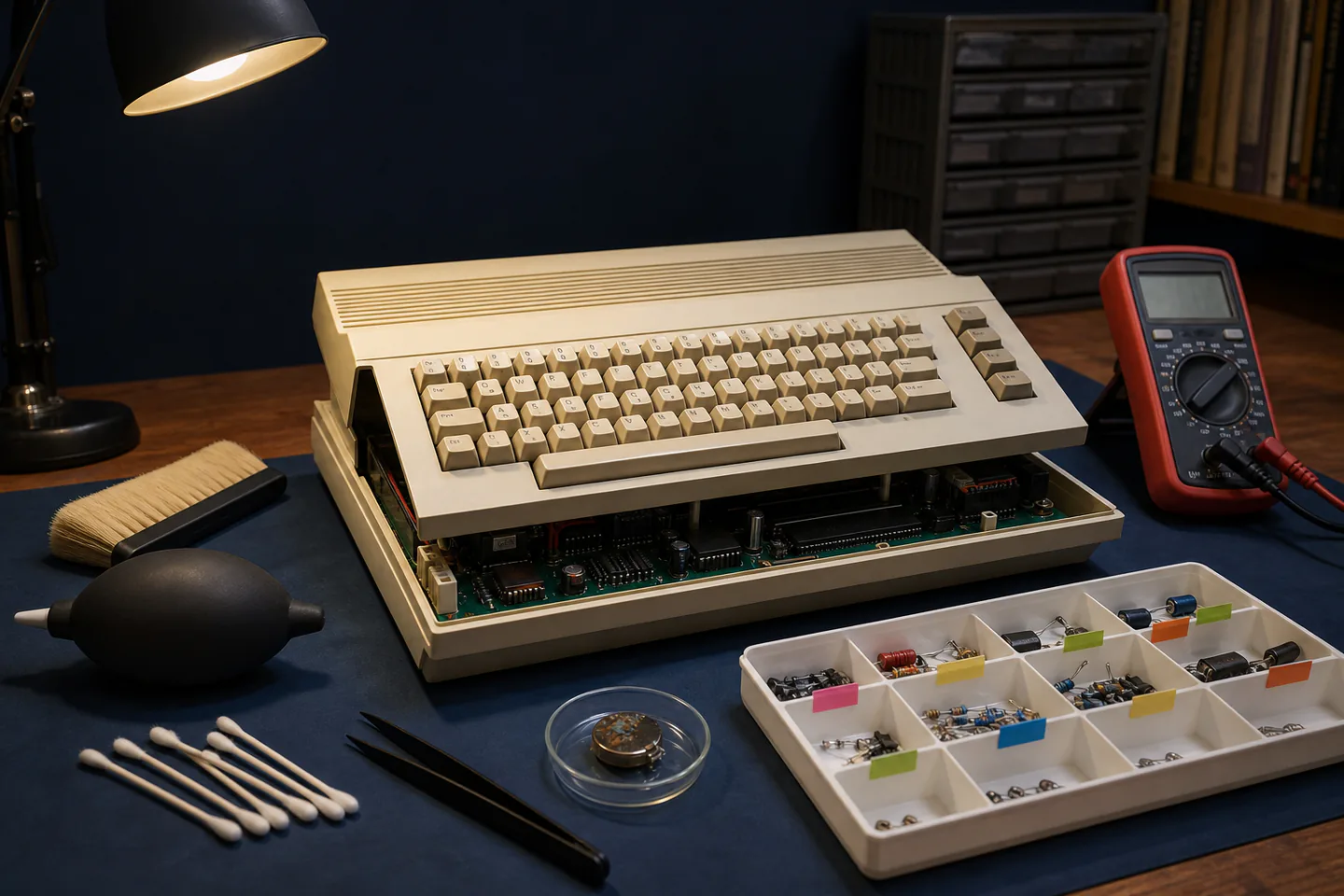
Identify the exact model and service information, photograph every side, label cables and accessories and quarantine the machine dry and unpowered. Inspect externally for liquid, corrosion, heat damage, swollen batteries, broken insulation and insect contamination, remove only user-serviceable low-voltage battery packs with the manual’s method, clean loose dust with controlled soft tools, back up removable media separately and ask an experienced repair group to review mains power supplies, CRT displays, high-voltage sections and first power-up before any live test.
- 01
Preservation begins with provenance, photographs and reversible work, not immediate power. Record what happened during retro computer restoration so the next attempt changes one known variable instead of several guesses.
- 02
Old electrolytic capacitors, rechargeable batteries and power supplies can fail after decades of storage. Record what happened during retro computer restoration so the next attempt changes one known variable instead of several guesses.
- 03
CRTs and switch-mode power supplies can retain hazardous energy after disconnection. Record what happened during retro computer restoration so the next attempt changes one known variable instead of several guesses.
- 04
Original plastics, labels, finishes and magnetic media can be damaged by aggressive solvents, force or indiscriminate replacement. Record what happened during retro computer restoration so the next attempt changes one known variable instead of several guesses.
What to expect
What retro computer restoration is really like at the start
The useful beginner controls are preparation, one bounded task and a record of the result; specialist equipment matters only when it solves a repeated limitation.
Identity
Machines sharing a case name may have different boards, power supplies and service procedures. Record what happened during retro computer restoration so the next attempt changes one known variable instead of several guesses.
Battery
Clock and backup batteries can leak into traces and sockets even while the machine appears clean outside. Record what happened during retro computer restoration so the next attempt changes one known variable instead of several guesses.
Media
Floppy disks and drives can damage each other, so valuable media should not be the first mechanical test. Record what happened during retro computer restoration so the next attempt changes one known variable instead of several guesses.
Power
A successful boot does not prove safe capacitors, regulated rails, cooling or reliable storage. Record what happened during retro computer restoration so the next attempt changes one known variable instead of several guesses.
Core method
The core retro computer restoration method
Create the evidence record
Photograph model, serial, ports, labels, damage, accessories and storage history before removing anything. Record what happened during retro computer restoration so the next attempt changes one known variable instead of several guesses.
Triage without power
Look for corrosion, leakage, pests, cracked insulation and missing parts and isolate suspect batteries. Record what happened during retro computer restoration so the next attempt changes one known variable instead of several guesses.
Clean only stable surfaces
Use a soft brush and material-tested minimal cleaning while preserving labels, texture and patina. Record what happened during retro computer restoration so the next attempt changes one known variable instead of several guesses.
Plan the first powered test
Use service documentation and experienced review to define isolation, current limiting, voltage checks and safe display equipment. Record what happened during retro computer restoration so the next attempt changes one known variable instead of several guesses.
Useful products
Products with a clear job in the route
The meter belongs in competent low-voltage checks, the precision tweezers support gentle handling and safety glasses provide baseline protection during controlled external work.
AstroAI TRMS 6000-Count Digital Multimeter
It turns wiring and power faults into separate testable questions.
MMOBIEL Seven-Piece Precision Tweezer Set
Several profiles help work around crowded low-voltage boards while documenting part locations.
3M SecureFit 200 Safety Glasses
They are easy to keep at the bench for routine impact risks.
First project
Complete a no-power condition report
The finished result is a photo record, hazard list, parts inventory and decision about whether a specialist should lead first power.
- 01
Identify the exact revision
Record model, serial, board or power-supply revision visible without hazardous access and available manuals. Record what happened during retro computer restoration so the next attempt changes one known variable instead of several guesses.
- 02
Photograph and inventory
Capture ports, fasteners, cables, media, damage and every removed user-serviceable cover. Record what happened during retro computer restoration so the next attempt changes one known variable instead of several guesses.
- 03
Inspect for stop signs
Quarantine leakage, corrosion, burnt areas, brittle cable, pest debris and unknown modification. Record what happened during retro computer restoration so the next attempt changes one known variable instead of several guesses.
- 04
Perform minimal external cleaning
Brush loose dust into extraction and test any damp method on a hidden compatible surface. Record what happened during retro computer restoration so the next attempt changes one known variable instead of several guesses.
- 05
Write the power plan
Name the qualified help, measurements, current limiting, display boundary and backup media for a later test. Record what happened during retro computer restoration so the next attempt changes one known variable instead of several guesses.
What can wait
What can wait until the first result
Delay anything that adds cost, risk or another variable before the basic workflow has produced something you can review.
- 01
CRT opening
Stored high voltage, implosion risk and fragile neck components require trained service practice. Record what happened during retro computer restoration so the next attempt changes one known variable instead of several guesses.
- 02
Recapping by default
Part identity, polarity, board damage and diagnostic evidence matter more than a blanket parts list. Record what happened during retro computer restoration so the next attempt changes one known variable instead of several guesses.
- 03
Retrobright treatment
Chemistry and UV can change plastics and markings and are not basic cleaning. Record what happened during retro computer restoration so the next attempt changes one known variable instead of several guesses.
- 04
Valuable disk testing
Image expendable or sacrificial media only after drive condition is known. Record what happened during retro computer restoration so the next attempt changes one known variable instead of several guesses.
Upgrade path
Add the capability you can now name
Each stage should remove a demonstrated constraint rather than make the setup look more advanced.
Use what you own
£0–£20Existing equipment and one written plan
Document and clean externally without power.Repeat the first route
About £30–£150 plus the machineA complete repeatable starter setup
Join a repair workshop for supervised electrical assessment.Add one capability
Often £50–£250One selected tool, service or learning resource
Stabilise known faults and image removable media with write protection.Build specialist depth
Club, course or specialist dependentA documented specialist workflow
Undertake board-level, CRT or power-supply work only with specific training and equipment.Safety & care
Do not learn high-voltage repair on irreplaceable equipment
The machine’s rarity increases the need for restraint; it does not lower electrical risk.
- Do not open CRT displays, switch-mode power supplies or mains sections without relevant training and a documented discharge and test procedure.
- Keep the machine unplugged during inspection and stop at leakage, corrosion, burnt odour, cracked insulation or an unknown modification.
- Treat old rechargeable and lithium batteries as potential chemical and fire hazards and follow local disposal guidance.
- Use ESD-aware handling for exposed logic boards and keep liquids, loose metal and vacuum nozzles away from components.
- Back up or image removable media before repeated use and never use valuable media as the first drive test.
Outside help
When outside help earns its place
A vintage-computer repair workshop is the correct place for first power, rail measurement, battery-damage assessment and CRT boundaries.
Ask whether the group has model-specific documentation, isolation equipment and a policy for irreplaceable machines.
Use outside help after the first retro computer restoration attempt can reveal the exact technique, access or safety problem that needs live correction.
Representative UK learning and access routes checked 1 September 2026; local prices, permissions, equipment and tutor support vary.
Sources
Where the guidance came from
Authoritative and specialist guidance supports the method and safety boundaries; community discussion contributes recurring beginner problems rather than unsupported claims.
-
01
Vintage Computer Federation · About and repair workshops
Preservation, education, conservation and workshop context.
Open source -
02
Vintage Computer Federation · Forums
Model-specific restoration experience and fault discussion.
Open source -
03
iFixit · Electronics repair guides
Reversible disassembly, documentation and repair practice.
Open source -
04
HSE · Electrical safety
Electrical hazard and competence principles.
Open source -
05
Electrical Safety First · Product safety
Damaged electrical product and battery safety context.
Open source -
06
Reddit · r/vintagecomputing
Community evidence on leaking batteries, capacitors, drives, power supplies and preservation choices.
Open source -
07
Amazon UK · TRMS 6000-Count Digital Multimeter
Exact Amazon UK product page or ISBN used for this recommendation; current price, seller, specification and availability should be confirmed.
Open source -
08
Amazon UK · Seven-Piece Precision Tweezer Set
Exact Amazon UK product page or ISBN used for this recommendation; current price, seller, specification and availability should be confirmed.
Open source -
09
Amazon UK · SecureFit 200 Safety Glasses
Exact Amazon UK product page or ISBN used for this recommendation; current price, seller, specification and availability should be confirmed.
Open source
Guide information and links checked 1 September 2026.